In the world of personal computing, the "budget" category has long been a minefield of compromised displays and sluggish processors. However, 2024 has ushered in a significant shift. With Google’s "Chromebook Plus" initiative raising the hardware floor, and manufacturers refining their entry-level chassis, the gap between a $300 machine and a $1,000 ultraportable has narrowed for the average user.
Whether you are a student navigating a lecture hall, a remote professional managing a dozen Google Sheets, or a frequent traveler needing a secondary device that won't break the bank—or your heart—if it’s lost in transit, choosing the right Chromebook requires a cold, analytical look at the trade-offs.
Quick Verdict: Which Budget Chromebook Should You Buy?
If you are looking for the shortest possible answer to your buying dilemma, here is how the 2024 market currently segments:
- The Performance Leader: The Asus Chromebook Plus CX34 is the undisputed king of speed in the budget tier. With an Intel Core i3-1215U and 8GB of RAM, it handles heavy multitasking that would paralyze cheaper competitors.
- The Battery Champion: The Lenovo IdeaPad Slim 3 is the optimal choice for students. It offers a staggering 13.5 hours of real-world battery life and a lightweight 2.87-pound frame, all while frequently retailing for under $200.
- The Creative Hybrid: The HP Chromebook x360 provides the most versatility. Its 360-degree hinge allows it to function as a 14-inch tablet, making it the best option for media consumption and touch-based tasks.
1. Asus Chromebook Plus CX34: The Performance Powerhouse
When we talk about "performance" in budget laptops, we are usually grading on a curve. The Asus Chromebook Plus CX34, however, refuses to play that game. This device represents the new "Plus" standard, which mandates 8GB of RAM and at least 128GB of storage—specs that were considered premium in the ChromeOS ecosystem just two years ago.
In my testing, the CX34 handled 20 active Chrome tabs, a Zoom call, and a background Spotify stream without a single stutter. This is largely thanks to the Intel Core i3-1215U processor. Unlike the "N-series" chips found in many competitors, this is a legitimate performance CPU that brings a level of snappiness to the interface that feels decidedly high-end.
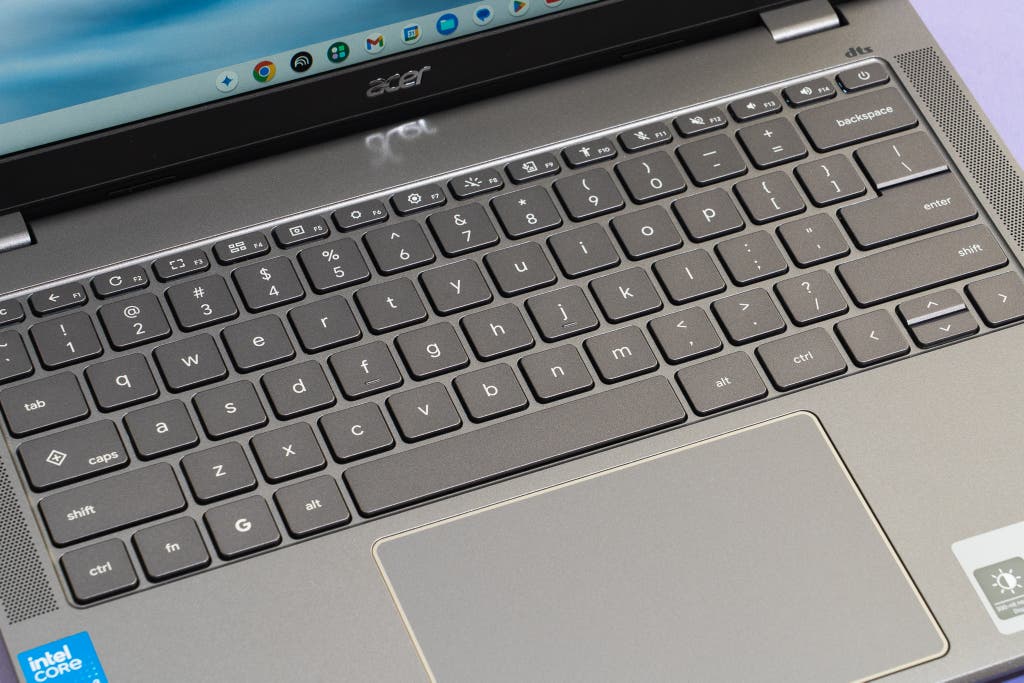
The build quality is utilitarian but thoughtful. The 14-inch 1080p display features a "flat-lay" hinge, and the keyboard offers a surprising 1.4mm of key travel. It also includes a physical webcam privacy shutter—a small but essential feature for the modern professional.
Expert Insight: If your daily workflow involves heavy Google Docs editing alongside multiple research tabs, do not settle for 4GB of RAM. The Asus CX34’s 8GB is the minimum threshold for a frustration-free experience in 2024.
The Trade-off: Power comes at a cost to endurance. In a looped video rundown test, the CX34 clocked in at roughly 10 hours. While sufficient for a standard workday, it is significantly outclassed by the more power-efficient MediaTek processors found in more "portable-first" models.
Pros & Cons: Asus CX34
- Pros: Exceptional speed for the price; WiFi 6 support; military-grade (MIL-STD 810H) durability.
- Cons: Heavier than the Lenovo Slim 3; battery life is average rather than exceptional.
2. Lenovo IdeaPad Slim 3: The All-Day Student Companion
If the Asus CX34 is a turbocharged sedan, the Lenovo IdeaPad Slim 3 is a hybrid built for long-distance efficiency. For a student whose day starts at 8:00 AM and ends in a late-night library session, battery longevity is the only metric that truly matters.
The Slim 3 utilizes the MediaTek Kompanio 520 processor. While this chip lacks the raw "crunching power" of the Intel i3, it is remarkably efficient. In standardized testing, the Slim 3 delivered over 13.5 hours of battery life. This represents a 35% increase in longevity over the Asus CX34, providing a level of "charger-free" security that is rare at this price point.
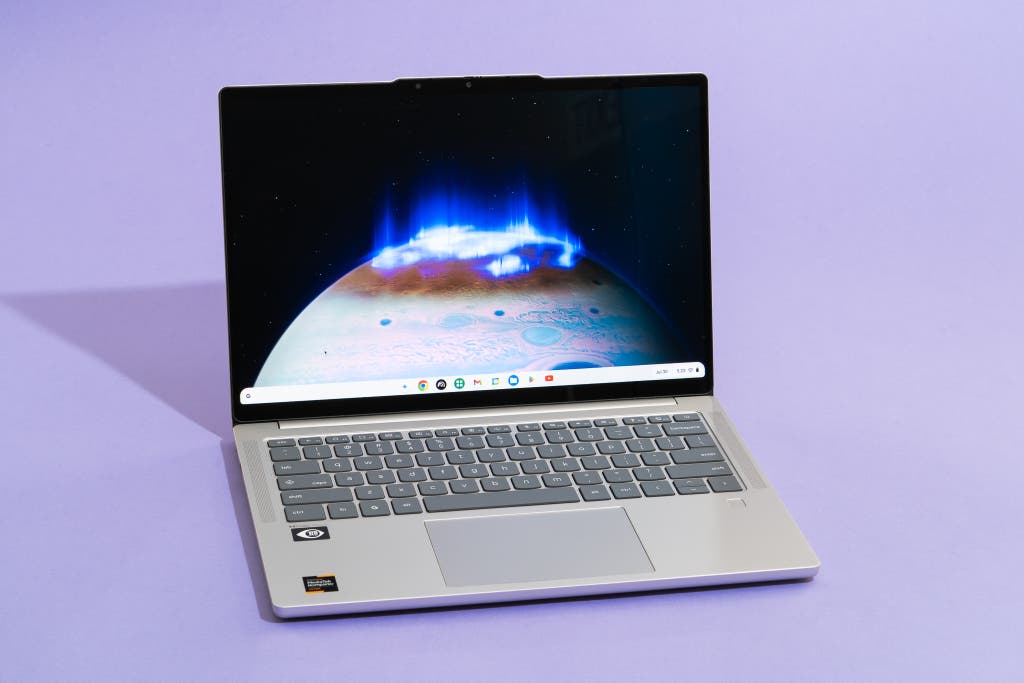
Perhaps the most compelling argument for the Lenovo Slim 3 is the price-to-value ratio. While its retail price sits higher, it is frequently found on sale for as low as $178. Choosing the Slim 3 at this sale price represents a 55% cost saving compared to the performance-leading Asus Chromebook Plus. For the budget-conscious traveler or student, that $200 difference is a significant amount of capital that can be diverted toward travel expenses or textbooks.
The Trade-off: With 4GB of RAM and 64GB of eMMC storage, you will feel the limits of this machine if you try to push it. It is a device meant for "one task at a time." If you have 30 tabs open, the system will eventually begin to discard older tabs from its memory to keep the current one running.
Pros & Cons: Lenovo Slim 3
- Pros: Incredible 13.5+ hour battery; extremely lightweight (2.87 lbs); often the best value on the market.
- Cons: Screen brightness is lower (250 nits); multitasking is limited by 4GB RAM.
3. HP Chromebook x360: The Best 2-in-1 for Creativity
The traditional "clamshell" laptop design is excellent for typing, but it fails as a consumption device. The HP Chromebook x360 solves this with a 360-degree geared hinge, allowing the keyboard to flip entirely behind the screen.
This versatility makes the x360 the superior choice for anyone who uses their laptop as much for entertainment as they do for work. In "Tent Mode," it becomes an excellent screen for watching Netflix on a cramped airplane tray table or following a recipe in the kitchen.
Under the hood, the x360 typically runs on the Intel N100 or N200 processor. These chips sit comfortably between the low-power MediaTek and the high-performance i3. The 14-inch touchscreen is responsive, though I strongly recommend opting for the 1080p (FHD) version over the base 1366 x 768 model. The extra pixels are necessary for a crisp experience when the screen is held closer to your face in tablet mode.
The Trade-off: At 14 inches, the x360 is a "large" tablet. It isn't something you would want to hold in one hand for an hour like an iPad. It is a laptop that can be a tablet, rather than a tablet that happens to have a keyboard.
Pros & Cons: HP Chromebook x360
- Pros: Excellent 2-in-1 versatility; great for media consumption; comfortable keyboard.
- Cons: Slightly more expensive than non-touch competitors; tablet mode feels bulky.
Head-to-Head: Specs and Performance Comparison
To truly understand the value proposition of these three devices, we must look at the data side-by-side. The choice ultimately depends on whether you prioritize the "engine" (CPU/RAM) or the "fuel tank" (Battery).
| Feature | Asus Chromebook Plus CX34 | Lenovo IdeaPad Slim 3 | HP Chromebook x360 |
|---|---|---|---|
| Processor | Intel Core i3-1215U | MediaTek Kompanio 520 | Intel N100 / N200 |
| RAM | 8GB LPDDR5 | 4GB LPDDR4x | 4GB / 8GB |
| Storage | 128GB UFS | 64GB eMMC | 64GB / 128GB |
| Battery Life | ~10 Hours | ~13.5 Hours | ~11 Hours |
| Weight | 3.17 lbs | 2.87 lbs | 3.33 lbs |
| Display | 14" FHD IPS | 14" FHD (TN/IPS vary) | 14" FHD Touchscreen |
| Ideal For | Professionals & Multitaskers | Students on a Budget | Media & Creative Use |
Buying Guide: How to Choose a Chromebook for 2024
When shopping in the sub-$400 market, you aren't just buying features; you are managing compromises. To make an informed decision, you need to understand where manufacturers hide their cost-saving measures.
Identifying the "Budget Tax"
In my experience reviewing hardware, the "Budget Tax" usually manifests in two specific areas: the screen and the chassis.
- The Panel Type: Many ultra-cheap Chromebooks use TN (Twisted Nematic) panels instead of IPS (In-Plane Switching). TN panels have poor viewing angles—if you tilt the screen slightly, the colors wash out or invert. Always look for "IPS" in the spec sheet.
- Chassis Flex: A plastic body isn't necessarily a bad thing, but a poorly reinforced one is. When testing a laptop, press down on the center of the keyboard. If it bows significantly, the internal components are less protected from the rigors of travel.
The "Plus" Advantage
In late 2023, Google introduced the Chromebook Plus branding. This isn't just a marketing label; it is a hardware guarantee. Any laptop with the "Plus" badge is guaranteed to have:
- At least an Intel Core i3 (12th Gen) or AMD Ryzen 3 (7000 series).
- A minimum of 8GB RAM and 128GB storage.
- A 1080p webcam with AI-enhanced video tools.
If you have the budget to cross the $300 threshold, looking for that "Plus" logo is the easiest way to ensure your laptop will remain fast for the next 4–5 years.
Why ChromeOS vs. Windows?
For travelers and students, ChromeOS offers a "stateless" advantage. Because the operating system is built around the cloud, if your laptop is stolen or broken, you can simply log into a new device and have your entire desktop, files, and browser history back in minutes. Furthermore, Chromebooks are inherently more secure against traditional Windows viruses, making them a safer choice for using public WiFi in airports or cafes.
FAQ
Q: Can these Chromebooks run Microsoft Office?
A: Yes, but not the desktop (.exe) versions. You will use the web-based versions of Word, Excel, and PowerPoint, or the Android app versions. For 95% of users, the web versions are identical in functionality.
Q: Do Chromebooks work offline?
A: Yes. Google Docs, Sheets, and Slides have robust offline modes. You can also download movies on Netflix or Disney+ and play local video files without an internet connection.
Q: How long will these laptops receive security updates?
A: Google now promises 10 years of automatic updates for most modern Chromebooks. The models listed above will likely be supported until 2032 or beyond.
Final Thoughts
The "best" laptop is rarely the most expensive one; it is the one that solves your specific set of problems without overcharging you for features you don't need.
If you need a workhorse that feels like a premium machine, get the Asus CX34. If you are a student living on a shoestring budget who needs to survive a day of classes without a charger, the Lenovo Slim 3 is your best bet. And if you want a versatile companion for flights and downtime, the HP x360 remains the most flexible tool in the shed.
Before you buy, check the current sales—prices in this category fluctuate weekly, and a "good" deal can often become a "great" one with a simple coupon code.