Quick Facts: MacBook Pro Longevity at a Glance
| Factor | Expected Lifespan | Notes |
|---|---|---|
| Physical Hardware | 7–10 Years | Build quality is exceptional, but batteries and screens are common failure points. |
| macOS Software Support | 5–8 Years | Apple typically provides OS updates for about 7 years after a model's release. |
| Security Patches | 8–10 Years | Security-only updates often continue for 2 years after the OS stops updating. |
| Professional Utility | 3–5 Years | The "Optimal Performance Window" for 4K video editing and high-end dev work. |
| Resale Value | High | Macs retain roughly 40% more value than Windows PCs after three years. |
When you invest upwards of $2,000 in a MacBook Pro, you aren’t just buying a laptop; you are securing a professional asset. In my years of reviewing high-end travel gear and mobile workstations, I’ve found that few devices command as much scrutiny regarding their "shelf life" as the MacBook Pro. As we look toward 2026, the question of longevity has shifted from "Will it turn on?" to "Will it keep up?"
The modern MacBook Pro is a marvel of industrial design, yet it exists in an ecosystem of rapid software evolution. For most users, a MacBook Pro will remain functional for 7 to 10 years. However, for those of us whose livelihoods depend on seamless performance, the "practical" life is shorter.
Hardware vs. Software: When is a Mac Truly 'Dead'?
A MacBook's death is rarely a sudden hardware failure. Instead, it is a slow fading into what Apple officially categorizes as "Vintage" or "Obsolete." These aren't just descriptive terms; they are policy benchmarks that dictate whether you can get your machine repaired at a Genius Bar.
- Vintage Models: Devices that have not been distributed for sale for more than 5 years but less than 7 years. Apple still provides service and parts, but availability is subject to stock.
- Obsolete Models: Devices that were discontinued more than 7 years ago. At this point, Apple discontinues all hardware service, and third-party repair shops become your only hope for parts like batteries or logic boards.
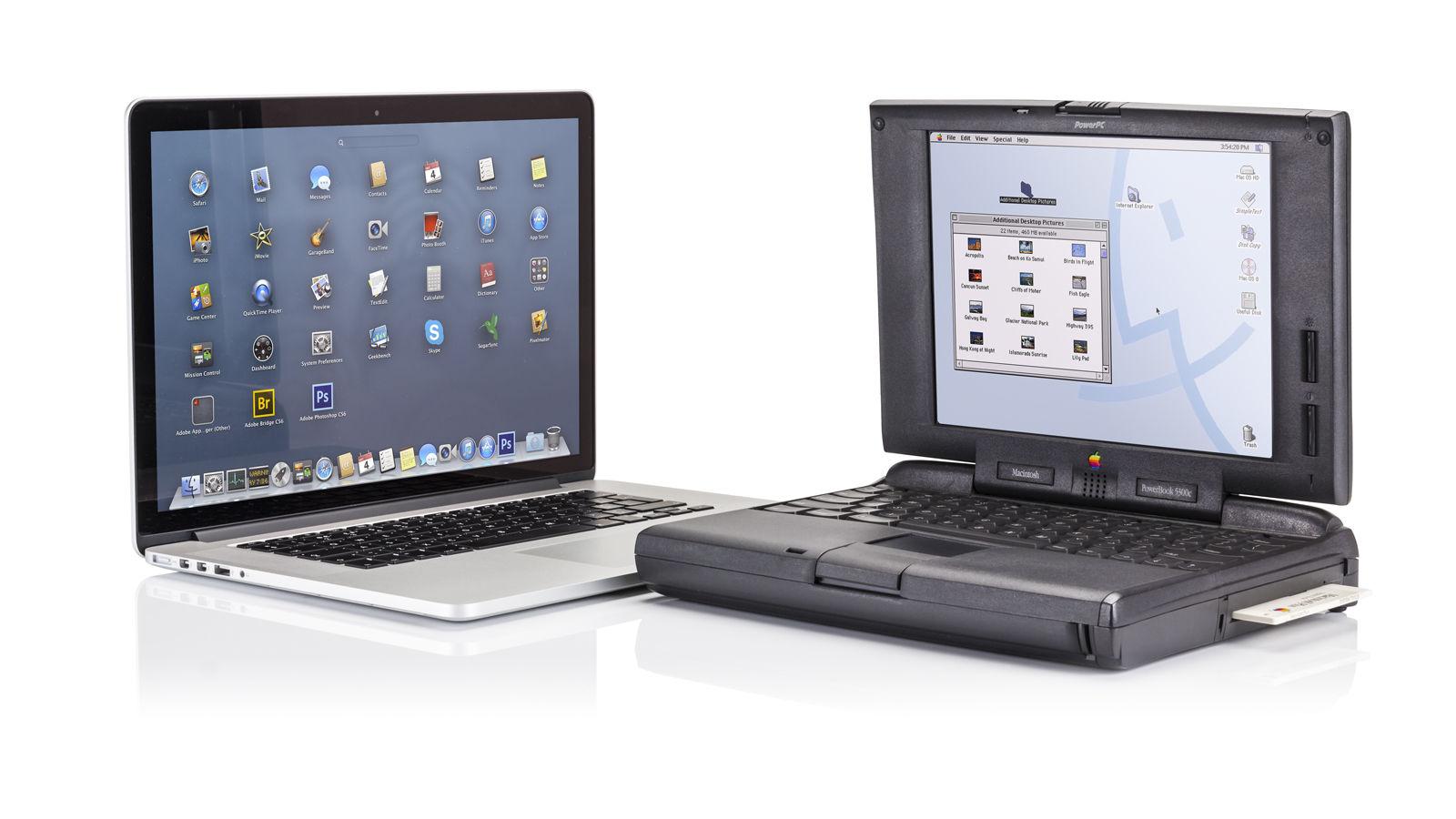
The landscape is changing rapidly in 2026 due to the "Intel Sunset." For users still clinging to Intel-based MacBooks, the clock is ticking loudly. Industry data and software trajectories suggest that Intel-based Macs will lose all macOS support by September 2026. Transitioning to the M-series silicon is no longer a luxury; it is a necessity for anyone requiring a secure, updated environment. If your machine can’t run the latest macOS, it’s not just "old"—it’s a security liability.
5 Critical Tips to Make Your MacBook Pro Last a Decade
While Apple builds these machines to last, the user's habits dictate whether the hardware reaches that ten-year milestone or dies at year four.
1. The 20/80 Battery Rule
The lithium-ion batteries in MacBook Pros are rated for about 1,000 full charge cycles. To maximize longevity, avoid the extremes. Deep discharges (0%) and constant 100% "trickle charging" accelerate chemical aging.
Expert Tip: Keep your battery between 20% and 80% whenever possible. Use the "Optimized Battery Charging" feature in macOS settings, or third-party tools like AlDente, to limit the charge level if your Mac stays plugged into a monitor most of the day.
2. Combatting Thermal Throttling
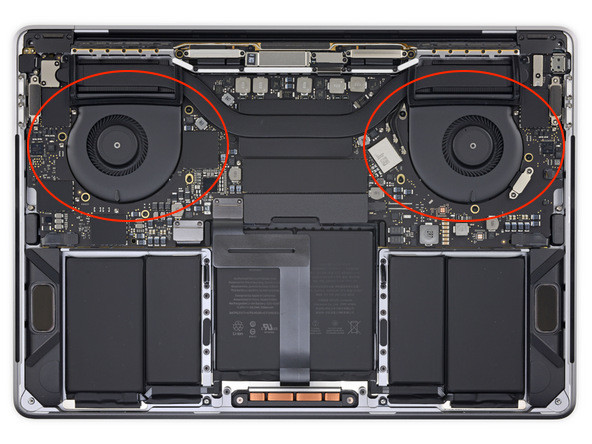
Heat is the primary enemy of silicon. While the MacBook Pro features an advanced active cooling system, dust is an inevitable interloper. Over time, dust coats the internal fans and heat sinks, forcing the processor to "throttle" or slow down to prevent melting.
- Cleaning: Every 12–18 months, use compressed air to clear the vents.
- Surface Matters: Never use your MacBook Pro on a soft surface like a bed or pillow, which chokes the intake vents.
3. SSD Preservation: The 20% Buffer
Unlike old hard drives, the Solid State Drive (SSD) in your Mac has a finite number of "write" cycles. When an SSD is nearly full, macOS uses a technique called "wear leveling" less efficiently, which can shorten the drive's life. Always keep at least 20% of your storage free to allow the system to move data around and maintain drive health.
4. Software Hygiene and Security
A "slow" Mac is often just a cluttered Mac. Avoid "bloatware" or aggressive "cleaner" apps that run in the background. Instead, focus on keeping your macOS updated. Each update includes kernel-level optimizations that help the hardware manage resources more efficiently.

5. Physical Protection
It sounds elementary, but a high-quality hardshell case or a padded sleeve is the difference between a minor drop and a $700 screen replacement. Given that the screen is the most expensive component to repair, physical protection is your best insurance policy.
2026 Buying Guide: Should You Upgrade Now?
As we move through 2026, the MacBook Pro lineup has reached a new peak with the M5 family of chips. The shift from the M4 to the M5 isn't just a incremental speed bump; it represents a paradigm shift in AI-boosted GPU Neural Accelerators.
For the first time, 16GB of RAM is the absolute floor for the base model, recognizing that modern workflows—even for non-professionals—demand higher memory overhead for background AI processes.
M4 vs. M5: The 2026 Comparison
| Specification | MacBook Pro (M4 Series) | MacBook Pro (M5 Series) |
|---|---|---|
| Process Node | 3nm Enhanced | 2nm High-Performance |
| AI Processing | 38 TOPS (Trillion Ops/Sec) | 50+ TOPS (Neural Engine Gen 2) |
| Battery Life | 18–22 Hours | Up to 24 Hours |
| External Display Support | Dual 6K (Pro/Max) | Triple 6K Support (Pro/Max) |
| Efficiency Gain | Baseline | ~30% Improvement in Power-per-Watt |
MacBook Air M5 vs. MacBook Pro M5: Which One?
If your work involves sustained heavy loads—think 4K video exports, 3D rendering, or large-scale code compilation—the MacBook Pro is mandatory. The Air is fanless; it will throttle its speed after 10 minutes of heavy work to cool down. The Pro’s active fans allow it to run at 100% capacity indefinitely.
Furthermore, features like the ProMotion 120Hz display on the Pro models offer a level of fluidity that makes the machine feel faster for years longer than the 60Hz Air.

Explore the Latest MacBook Pro Models →
Financial ROI: The MacBook as an Investment
From a critic’s perspective, the "cost" of a MacBook Pro should be viewed through the lens of Cost Per Year.
- The PC Path: A $1,200 Windows laptop might last 4 years before becoming sluggish or physically compromised. Cost: $300/year.
- The Mac Path: A $2,200 MacBook Pro M5 lasts 8 years easily. Cost: $275/year.
When you factor in the resale value—where a 3-year-old MacBook Pro can still command 50-60% of its original price—the financial argument for the Mac becomes even stronger. To maximize your ROI, I recommend investing in RAM over Storage. You can always plug in a fast external SSD for $100, but you can never upgrade the internal memory of an M-series Mac.
FAQ: Common Longevity Questions
Q: Is it worth replacing the battery in a 5-year-old MacBook Pro?
A: Yes, absolutely. If the hardware still supports the latest macOS, a $200 battery replacement can often give you another 2–3 years of usable life, making it a high-value maintenance move.
Q: Will the M-series chips last as long as the old Intel chips?
A: Likely longer. Because the M-series is much more power-efficient, it generates less heat. Less heat means less stress on the internal components and the logic board, reducing the chance of hardware failure.
Q: When is the exact right time to trade in?
A: The "Sweet Spot" is at the 4-year mark. At this point, the trade-in value is still significant enough to subsidize a large portion of a new machine, and you exit the device before it enters the "Vintage" category.
Final Recommendation
As a critic who has seen countless gadgets come and go, my verdict is this: The MacBook Pro remains the gold standard for longevity in the mobile computing space. In 2026, if you are moving from an Intel Mac, the jump to an M5 Pro will feel like moving from a prop plane to a jet engine.
If you are a power user, plan for a 5-year upgrade cycle to stay at the cutting edge. If you are a general user, buy the best specs you can afford today, and you can comfortably expect 8 to 10 years of reliable service.