We’ve all been there: you’ve just invested in a stunning 85-inch 4K QLED or a high-end laser projector, only to realize that the "clean look" you envisioned is ruined by a thick HDMI cable snaking across your ceiling or hardwood floor. As a smart home editor, the question I’m asked most frequently isn't about which TV to buy, but rather, "How do I get the signal there without drilling through my walls?"
In 2025, the answer is more nuanced than simply buying the most expensive box on the shelf. While wireless technology has leaped forward, it hasn't completely defied the laws of physics. Interestingly, despite the push for 8K displays, only 25% of current top-rated expert picks support 4K resolution. This is because, in the world of wireless AV, stability is king. Most users would rather have a rock-solid 1080p stream than a 4K image that stutters every time someone uses the microwave.
Whether you're looking for a wireless HDMI for 4K gaming or a long-range HDMI transmitter through walls, my goal is to help you navigate the trade-offs of latency, range, and obstruction.
Quick Comparison of Top Picks
| Model | Max Resolution | Max Range | Audio Support | Best For |
|---|---|---|---|---|
| Nyrius Aries Home+ | 1080p / 60Hz | 100ft (Through Walls) | 7.1 Surround | Best Overall / Home Theater |
| Monoprice Blackbird Pro | 4K @ 30Hz | 98ft (Line-of-Sight) | 7.1 Surround | 4K Gaming & Movies |
| J-Tech Digital WEX200V3 | 1080p / 60Hz | 200ft (Through Walls) | Stereo | Long Range / Multi-Room |
| Aluratek Streamcast Pro | 1080p / 60Hz | 35ft (Wi-Fi) | Stereo | Budget / Presentations |
Best Overall Wireless HDMI: Nyrius Aries Home+
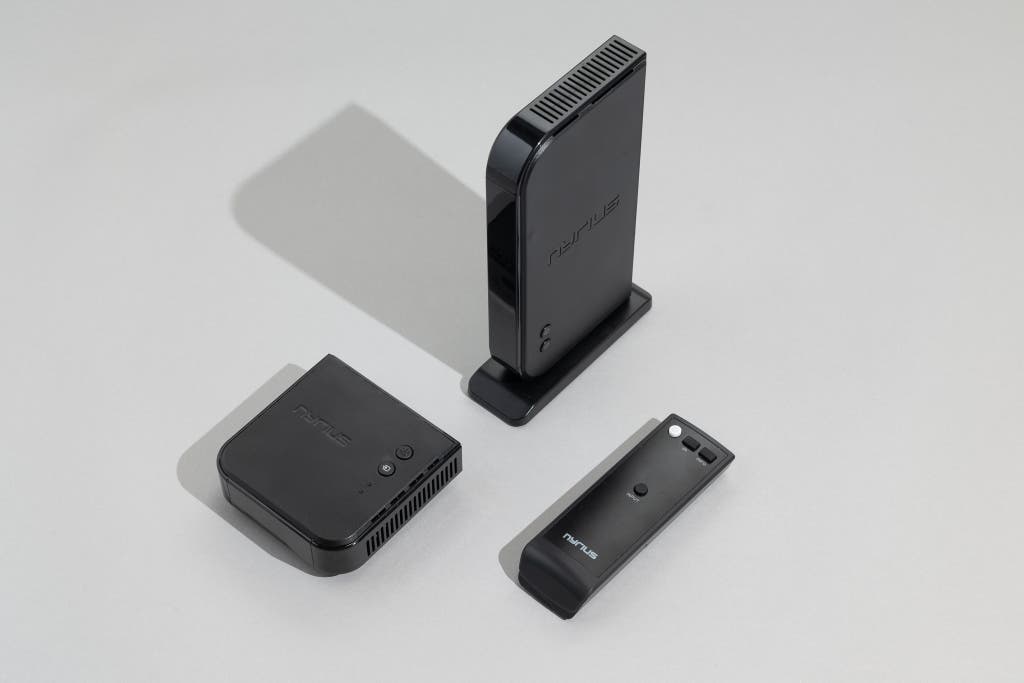
The Nyrius Aries Home+ is widely considered the best overall wireless HDMI transmitter because it strikes the perfect balance between performance, features, and reliability. In my experience with home automation, the "Goldilocks" zone for most households is a device that can handle a 1080p signal through at least one or two walls without dropping the connection. The Aries Home+ does exactly that, utilizing a powerful 5.8GHz frequency to transmit uncompressed HD video up to 100 feet.
What sets this unit apart for home theater enthusiasts is its support for 7.1-channel surround sound (Dolby Digital/DTS). Many budget transmitters downmix your expensive audio setup to simple stereo, but the Nyrius maintains the sonic integrity of your Blu-rays and streaming apps. Additionally, the transmitter features an HDMI loop-through. This is a critical integration feature: it allows you to connect a local TV and a remote projector to the same source simultaneously, effectively acting as a wireless splitter.
Pros & Cons
- Pros: Zero-latency transmission; supports 7.1-channel audio; loop-through port for dual-screen setups; works through walls.
- Cons: Does not support 4K resolution; larger footprint compared to "dongle" style receivers.
Best for 4K Gaming & Home Theater: Monoprice Blackbird Pro
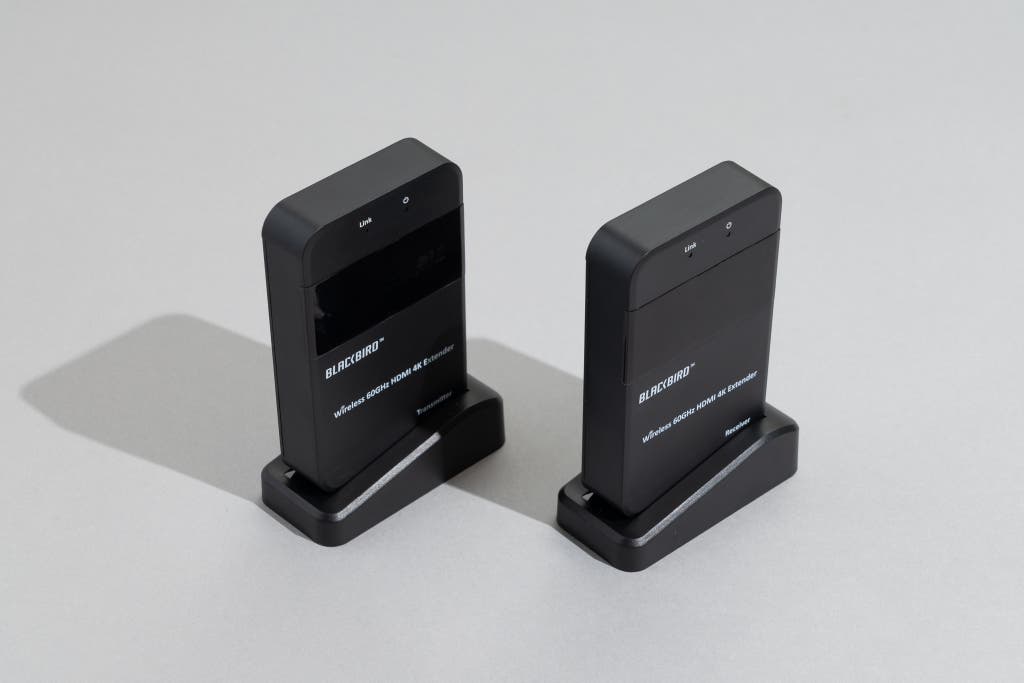
For those who refuse to compromise on pixel density, the Monoprice Blackbird Pro is the specialist you need. It is one of the few reliable options for users specifically seeking wireless HDMI for 4K gaming and high-fidelity movie watching. It supports 4K resolution at 30Hz, which is sufficient for cinematic content and non-competitive gaming (like RPGs or strategy games).
The Blackbird Pro operates on the 60GHz "WirelessHD" frequency. The benefit? It offers incredible bandwidth with virtually zero latency, making it feel exactly like a wired connection. The trade-off? This frequency cannot penetrate walls. It requires a clear line-of-sight between the transmitter and the receiver. If you are trying to hide your gaming console in a cabinet and transmit to a TV across the same room, this is your best bet. However, if you're trying to send a signal to a different room, you’ll need to look at 5GHz models like the Nyrius or J-Tech.
Pros & Cons
- Pros: Supports 4K resolution; zero-latency performance ideal for gaming; excellent interference resistance in the 60GHz band.
- Cons: Requires line-of-sight; limited to 30Hz at 4K; 60GHz signal is blocked by human bodies or furniture.
Best Long Range (Through Walls): J-Tech Digital WEX200V3
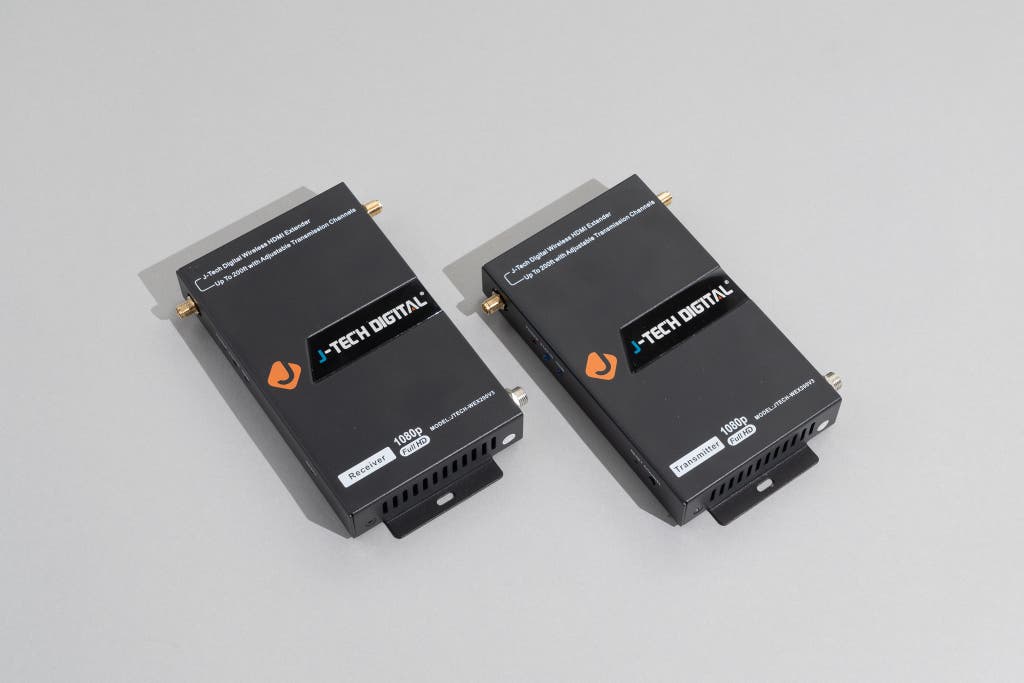
When your project involves distance, the J-Tech Digital WEX200V3 is in a league of its own. In the world of wireless AV, we often talk about the "Transmission Range Gap." While entry-level Wi-Fi models top out at about 35 feet, the J-Tech Digital WEX200V3 offers a staggering 200 feet of range—that’s a 470% increase in distance.
For long-range HDMI transmission through walls, experts favor the J-Tech because of its dual-antenna design and advanced H.264 compression. It’s designed for industrial and large-scale residential use, such as sending a satellite signal from a living room DVR to a bedroom TV on the opposite side of the house. It even includes an IR pass-through feature, which means you can point your remote at the TV in the bedroom and it will actually change the channel on the box in the living room.
Jessica’s Pro Tip: If you live in an apartment building with dozens of Wi-Fi networks, the J-Tech allows for manual channel switching. This is vital for avoiding the 5GHz interference that often plagues wireless HDMI setups in high-density areas.
Pros & Cons
- Pros: Industry-leading 200ft range; transmits through multiple walls; includes IR extension for remote control support.
- Cons: Noticeable latency (not suitable for gaming); limited to stereo audio output; compression can slightly impact image sharpness.
Best Budget Pick: Aluratek Streamcast Pro
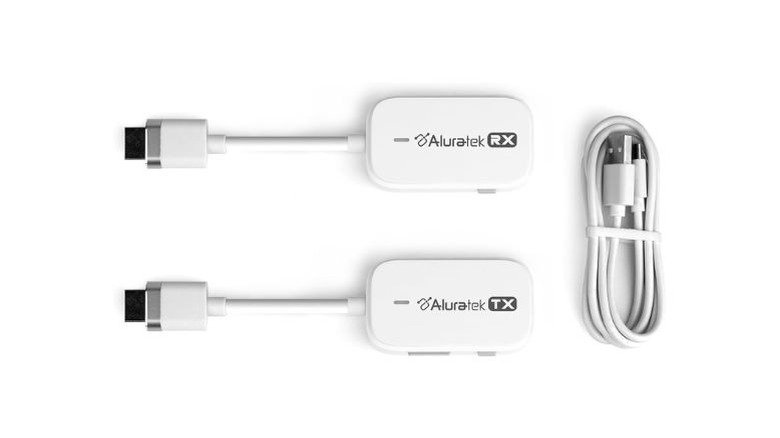
Not every setup requires a $200 industrial-grade transmitter. If your goal is simply to mirror a laptop to a TV for a presentation or to stream a movie in a small dorm room, the Aluratek Streamcast Pro is the best budget wireless HDMI option. Priced well below $100, it provides a reliable 1080p streaming experience via a simplified Wi-Fi connection.
The Streamcast Pro is essentially a plug-and-play dongle. It works best at distances under 35 feet and is highly portable. It’s the "road warrior's" choice. However, keep your expectations realistic: it is restricted to stereo audio and can struggle if there is a lot of physical interference between the units. For a secondary guest room or a home office, it’s a cost-effective way to cut the cord without over-investing.
Pros & Cons
- Pros: Very affordable; compact "stick" design; easy setup without complex configuration.
- Cons: Limited 35ft range; supports stereo audio only; susceptible to Wi-Fi network congestion.
Buyer’s Guide: How to Choose Your Transmitter
Choosing between the Nyrius Aries Home+ vs J-Tech Digital or a 4K-capable Monoprice unit requires understanding the underlying tech protocols. As a smart home editor, I always tell my readers to look past the marketing "max range" and look at the frequency.

1. Multi-room (5GHz) vs. In-room (60GHz)
This is the most critical distinction.
- 5GHz (WHDI/Wi-Fi based): These can go through walls. They are the workhorses of wireless HDMI. However, they share the frequency with your router and can experience "packet loss" or lag.
- 60GHz (WirelessHD): This is for pure performance. It has massive bandwidth and zero lag, but it cannot pass through even a thin piece of drywall. If a dog walks between the transmitter and receiver, your screen might go black for a second.
2. Audio Standards: Don't Forget the Sound
If you have a $3,000 Sonos or SVS surround sound system, don't pair it with a budget transmitter. Most budget and long-range models (like the Aluratek or J-Tech) only support PCM 2.0 (Stereo). To maintain 7.1-channel or 5.1-channel audio, you must look for premium models like the Nyrius Aries Home+ or the Monoprice Blackbird Pro.
3. Power Management and Aesthetics
For a truly seamless experience, look for receivers that are USB-powered. Many modern TVs have a USB port on the back that can provide enough power to run the wireless receiver. This allows you to tuck the receiver entirely behind a wall-mounted TV, drawing power directly from the display, which eliminates yet another cable running to a wall outlet.
4. Managing the Latency Myth
Can you game on wireless HDMI? Yes, but with caveats.
- 60GHz models (Monoprice) have sub-1ms latency, making them indistinguishable from a cable.
- 5GHz models (Nyrius) have about 10ms–30ms of lag, which is fine for movies but might frustrate competitive Call of Duty players.
- Compressed Wi-Fi models (J-Tech/Aluratek) can have over 100ms of lag, which makes gaming nearly impossible and can sometimes cause "lip-sync" issues with audio.
FAQ
Q: Does wireless HDMI affect picture quality? It depends on the technology. 60GHz (WirelessHD) transmitters send uncompressed data, so the quality is identical to a cable. 5GHz and long-range models use compression (like H.264), which may result in slight artifacts in fast-moving scenes, though it’s rarely noticeable in casual viewing.
Q: Can I use multiple transmitters in the same house? Yes, but you need units that support multiple channels. The J-Tech Digital WEX200V3 is particularly good for this as it allows you to manually select frequencies to prevent one "pair" from interfering with another.
Q: Will my Wi-Fi slow down if I use a wireless HDMI transmitter? Most high-end units (like Nyrius) use their own dedicated frequency and won't touch your home Wi-Fi bandwidth. However, budget "miracast" or Wi-Fi-based dongles do use your router's bandwidth and could potentially slow down your internet speeds during use.
Ready to Cut the Cord?
Wireless HDMI has matured significantly in 2025. While we aren't quite at a point where 4K/120Hz gaming is possible without a cable, the solutions available today can solve almost any cable management nightmare. For 90% of users, the Nyrius Aries Home+ remains the gold standard for its reliability and audio support. But if you're pushing for that 4K home theater dream in a single room, the Monoprice Blackbird Pro is your ticket to a wire-free future.