For the sophisticated consumer, the decision to upgrade a smartphone has shifted from a yearly ritual of vanity to a calculated strategic move. In 2025, we find ourselves at a unique crossroads in consumer technology. On one hand, hardware has become more durable than ever; on the other, the software demands—driven by the rapid integration of on-device Artificial Intelligence—are pushing older silicon to its absolute breaking point.
Recent 2025 market analysis indicates that while a dedicated 10% of users still upgrade annually, the average consumer replacement cycle has stabilized between 2.5 and 4 years. This "intentional longevity" is a testament to the build quality of modern flagships. However, there comes a point where holding onto a device is no longer an act of fiscal responsibility, but rather a risk to your digital security and personal productivity.
Deciding when to replace your smartphone involves a clinical assessment of three pillars: security viability, the "Repair-to-Value" ratio, and hardware fatigue. Generally, you should consider an upgrade if your device no longer receives security updates, the battery replacement cost exceeds 30-50% of the trade-in value, or if modern apps consistently crash due to hardware limitations that no software reset can fix.
1. The Battery Math No Longer Adds Up
There is a psychological trap in the "just one more repair" mindset. In 2025, the economics of smartphone maintenance have shifted. While lithium-ion technology has improved, the power demands of modern 5G modems and high-refresh-rate displays mean that a battery’s effective lifespan remains tethered to roughly 800 to 1,000 full charge cycles.
When your phone begins to struggle to hold a charge through a standard workday, you face a choice: spend $99 to $129 on a professional replacement or put that capital toward a new device. I recommend the 30-50% Rule: If the cost of the repair exceeds 30% of the device's current trade-in value, the investment is mathematically unsound. Furthermore, modern "glass-sandwich" designs are increasingly difficult to service. DIY repairs have become a significant liability, often compromising the device’s IP68 water resistance or damaging delicate ribbon cables for the display.
| Current Device Age | Battery Replacement Cost | Est. Trade-In Value (Flagship) | Financial Verdict |
|---|---|---|---|
| 18–24 Months | $89 - $99 | $500 - $700 | Repair & Retain |
| 3 Years | $109 - $129 | $250 - $350 | Borderline (Consider Upgrade) |
| 4+ Years | $129+ | < $150 | Upgrade Highly Recommended |
Pro-Tip: The AI Diagnostic Alert In 2025, many modern operating systems include predictive battery health. If your system reports "Service Recommended" or if you notice the back of the phone bulging slightly, discontinue use immediately. This isn't just a performance issue; it's a structural safety risk.
2. Hardware Fatigue: Beyond the Factory Reset
The most common complaint I hear from readers is a "slow phone," even when they have plenty of available storage. Many assume a factory reset will return the device to its "out-of-the-box" speed. In 2025, this is rarely the case. We are seeing a phenomenon known as Thermal Throttling Fatigue.
Beyond mere storage, aging 5G chips and the constant background processes of modern AI-heavy operating systems cause permanent hardware fatigue. Over years of use, the silicon in your processor undergoes "electromigration," and the thermal paste or vapor chambers used for cooling can degrade. This causes the device to heat up faster, which in turn forces the processor to slow down (throttle) to prevent damage. This is why your old smartphone feels slow even with empty space; the hardware is literally protecting itself from burning out under the weight of modern software.
Furthermore, 2025 marks a transition where 8GB of RAM is becoming the absolute minimum for a fluid experience. If your device is running on 4GB or 6GB of RAM, no amount of software optimization can prevent the system from "killing" background apps, leading to frustrating reloads every time you switch from your email to your camera.

3. The Security ‘Ticking Time Bomb’
The most dangerous sign that your phone is obsolete isn't a cracked screen or a slow camera—it’s the absence of security patches. While manufacturers like Samsung and Google have made bold 7-year update promises for their newest models, older devices are hitting a "security cliff."
Is it safe to use a phone that no longer gets security updates? The objective answer is no. Using an unsupported phone is a significant risk. Hackers specifically target "vintage" devices with known vulnerabilities that manufacturers are no longer patching. Once a device enters the "End of Life" (EOL) phase, it becomes a security liability. Your banking apps, private messages, and saved passwords are only as secure as the last kernel update.
Furthermore, there is the "Hardware Scarcity" issue. Once a device is deemed vintage by the manufacturer, they stop producing official replacement parts. If your screen breaks on a six-year-old device, you are often forced to use low-quality third-party components that can compromise biometric security features like Face ID or under-display fingerprint scanners.
4. Storage Suffocation and Input Lag
We have reached a point where 128GB of storage is the new 32GB. In 2025, system files and "System Data" (cache, logs, and temp files) can easily occupy 30-40GB on their own. This leads to what I call "Storage Suffocation."
Technical benchmarks show that smartphones require at least 10% of total storage capacity to remain unused to avoid significant system-wide performance degradation. This is because the NAND flash memory in your phone needs "breathing room" for wear leveling and swap files (using storage as temporary RAM). When you are constantly at 99% capacity, the controller has to work overtime to find open blocks of memory, resulting in palpable input lag—that split-second delay between your touch and the screen’s response.
While cloud storage is a valuable tool, it is not a substitute for local high-speed storage. If you find yourself deleting photos every week just to download a software update, the friction of use has exceeded the value of the device.
Pro-Tip: The 10% Buffer Rule To maintain peak performance, always keep at least 10-15GB of space free. If your "System Data" occupies more than 25% of your total storage, your phone is likely struggling with an OS version it was never designed to handle.
5. The App Compatibility Cliff
The final sign that it’s time to move on is when the software ecosystem begins to leave you behind. In 2025, major communication platforms like WhatsApp, Telegram, and various banking apps have updated their minimum requirements, dropping support for older versions of Android and iOS.
Beyond basic functionality, you are likely experiencing "Feature FOMO." The 2025 generation of smartphones is defined by on-device AI—features that allow for real-time voice translation, advanced generative photo editing, and predictive battery management. These aren't just "gimmicks"; they are the new standard for mobile productivity. Sticking with an obsolete device means missing out on the AI-driven diagnostic and cooling features that define the modern user experience.
When your primary apps start to lag, or worse, become unavailable for download in the App Store, your smartphone has transitioned from a tool to a relic.

Conclusion: Making the Strategic Decision
In 2025, the "perfect" time to upgrade is no longer dictated by a wireless carrier's contract, but by the functional reality of your hardware. If you are experiencing the synergy of a failing battery, an unpatched OS, and the heat of an overworked processor, the cost of not upgrading—in terms of both time and security—is higher than the price of a new flagship.
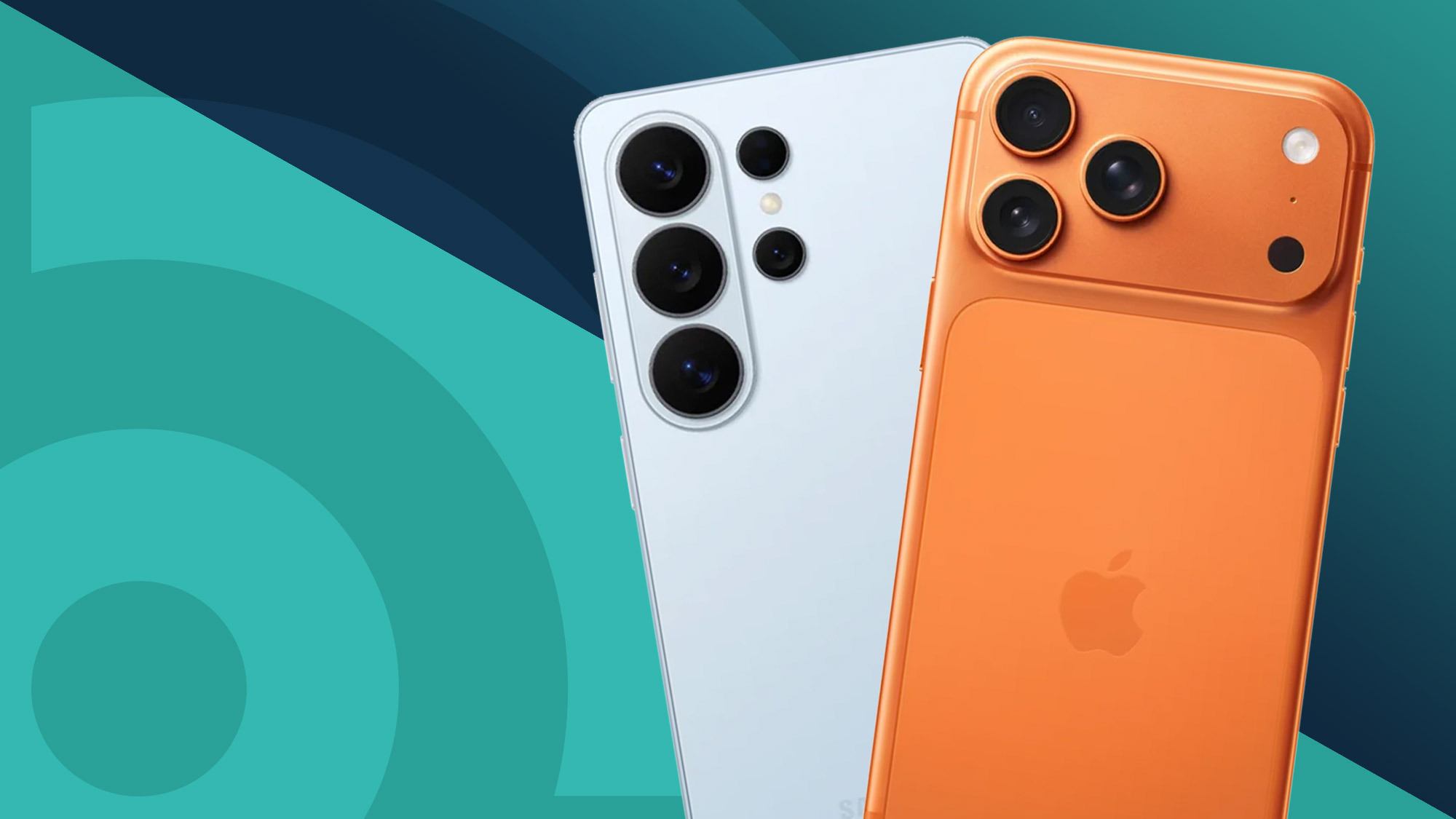
As we look toward the 2025 holiday season, the migration toward AI-centric devices from Apple and Samsung represents a generational leap. If your current device is over four years old, you aren't just buying a new phone; you are upgrading to a new era of mobile computing.
FAQ
Q: Is it worth replacing the battery on a 4-year-old phone?
A: Generally, no. While a new battery will improve "up-time," it will not fix the slow performance caused by aging processors or the security risks of an outdated OS. Apply the 30% rule: if the repair is more than 30% of the trade-in value, buy new.
Q: Can a "factory reset" fix a slow phone in 2025?
A: It can provide a temporary boost by clearing cached data, but it cannot fix "thermal throttling" caused by degraded internal cooling components or the increased hardware demands of modern apps.
Q: How many years of security updates should I look for in a new phone?
A: In the current market, you should aim for a minimum of 5 years. Leading manufacturers like Google and Samsung now offer 7 years of support on their flagship models, which significantly increases the long-term value of the investment.
Ready to find your next device?
Check out our latest comparisons of the 2025 flagship lineups to see which hardware matches your lifestyle.