Quick Facts
- Current Price: $218.00 (at Best Buy)
- Standard Retail Value: $399.00 (a 45% discount)
- User Rating: 4.6 out of 5 stars (based on 2,025 reviews)
- Core Specification: MediaTek Kompanio 520, 4GB RAM, 64GB eMMC
- Battery Life: Approximately 13.5 hours
- Primary Use Case: Student work, streaming, basic web browsing
In the realm of consumer technology, there is a long-standing adage: you get what you pay for. For years, the sub-$250 laptop market was a wasteland of sluggish processors, washed-out displays, and batteries that barely survived a cross-country flight. However, the current market for Chromebooks has begun to subvert these tropes. The Lenovo IdeaPad Slim 3, currently retailing for a staggering $218 at Best Buy, is a prime example of this shift. As a critic who evaluates everything from boutique hotels to long-haul flight amenities, I look for one thing above all else: the price-to-utility ratio.
Is the Lenovo IdeaPad Slim 3 worth $220? For the average user whose digital life exists within a browser tab—checking emails, streaming Netflix, or finishing a term paper—the answer is a resounding yes. It represents a rare intersection of extreme affordability and functional reliability, provided you understand exactly where the corners have been cut.
The $220 Proposition: Exceptional Value or a Budget Trap?
Navigating the budget laptop market is often like booking a "Basic Economy" ticket; you expect to be cramped and disappointed. Yet, at a 45% discount from its typical $399 retail value, the IdeaPad Slim 3 positions itself as a utilitarian masterpiece. We are seeing a demographic shift in who buys these devices. It is no longer just for the primary school student; it is increasingly the choice for retirees who want a simple interface and "digital nomads" who need a lightweight secondary device that they won't lose sleep over if it’s damaged during transit.
The core of the value proposition lies in its simplicity. By opting for ChromeOS over the resource-heavy Windows 11, Lenovo has managed to make modest hardware feel surprisingly agile. While a $220 Windows laptop would likely struggle to boot up, this Chromebook handles the basics with a level of grace that defies its price tag.
User Sentiment: Why It Holds a 4.6-Star Rating
In my years of data-driven analysis, a 4.6-star rating across more than 2,000 reviews is a statistic that cannot be ignored. It suggests a high level of "expectation management." Users who purchase the IdeaPad Slim 3 aren't looking for a MacBook Pro killer; they are looking for a reliable tool.
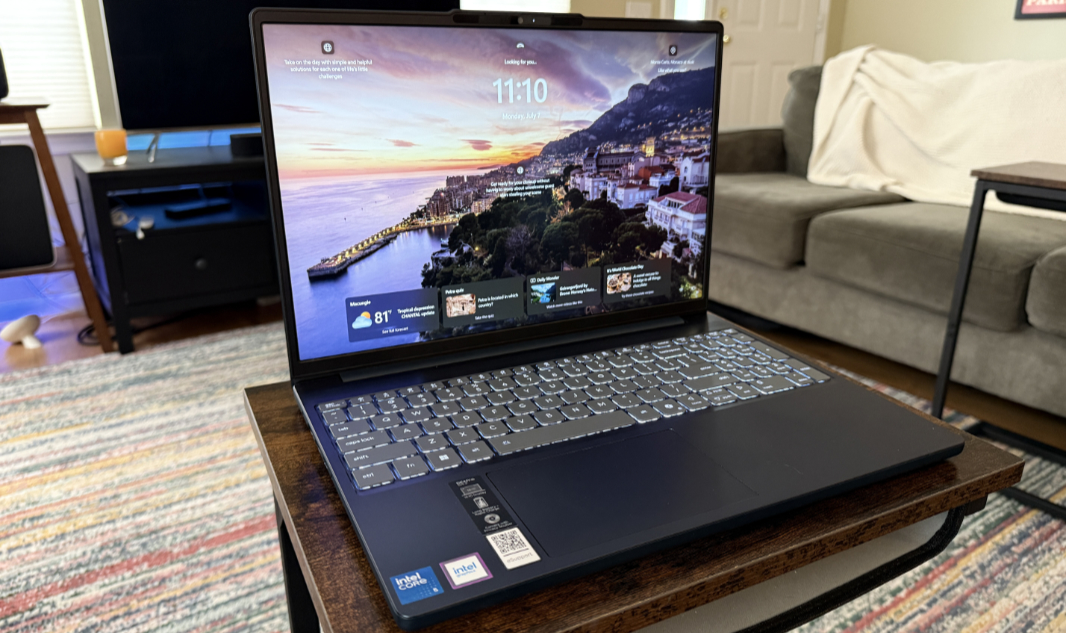
The feedback from the Best Buy community consistently highlights two things: the 14-inch Full HD touchscreen and the weight. In an era where many budget laptops still ship with 720p non-touch displays, the inclusion of a 1080p touch panel is a significant win. Users frequently describe the "Cosmic Blue" finish as "sleek" and "premium-looking," even though the chassis is primarily plastic. This "perceived quality" is where Lenovo excels—making a $220 device look like it belongs in a $500 category.
Performance Realities: The 4GB RAM Ceiling
We must be objective: the hardware under the hood is modest. The MediaTek Kompanio 520 processor is designed for efficiency rather than raw power. Coupled with 4GB of RAM, this device hits a performance ceiling fairly quickly.
The Reality of 4GB RAM:
- The Sweet Spot: 1 to 5 tabs open with a background music app like Spotify.
- The Bottleneck: Attempting to run 15+ tabs, a Zoom call, and a high-resolution YouTube video simultaneously.
- The Stutter: You will notice a slight delay when switching between heavy web applications (like Google Sheets) and media-rich sites.
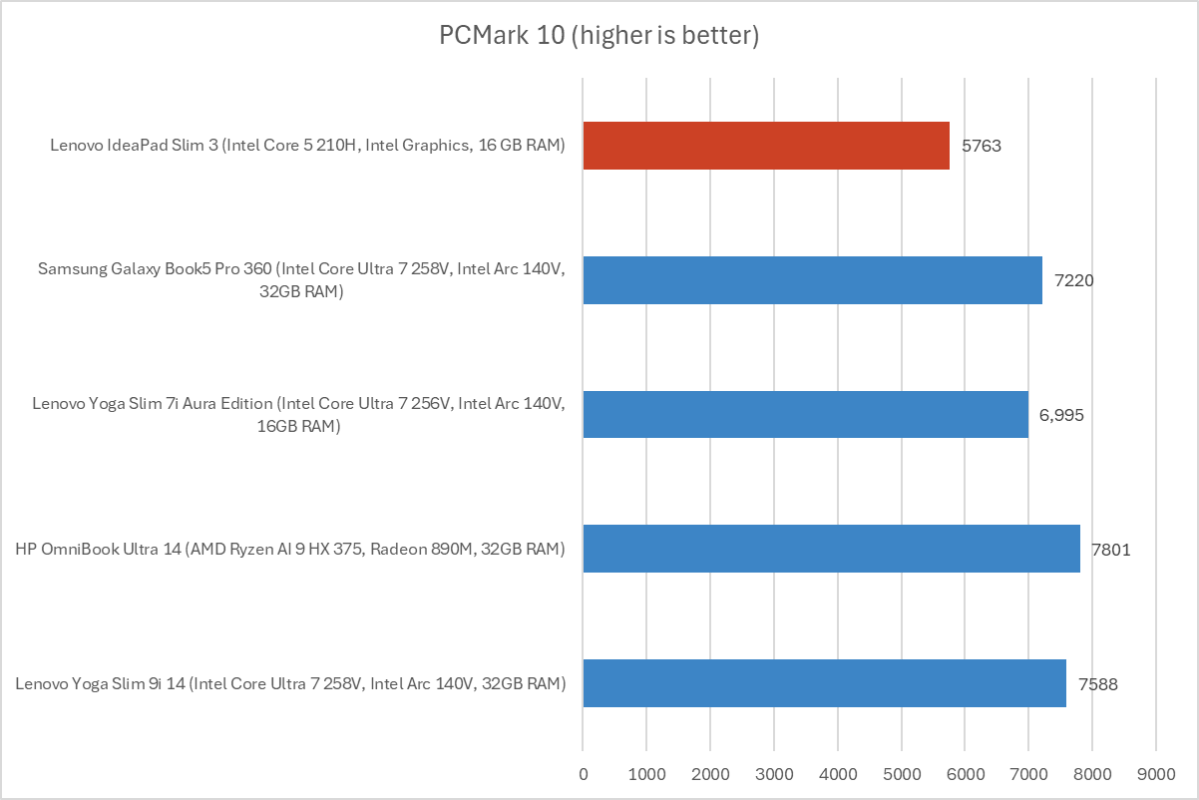
If your workflow involves video editing or heavy gaming, this is not the machine for you. However, for "day-to-day performance"—the kind of work most of us actually do—the limitations are manageable. It is about understanding the boundaries of the tool.
Portability and Battery Life: The Chromebook’s Secret Weapon
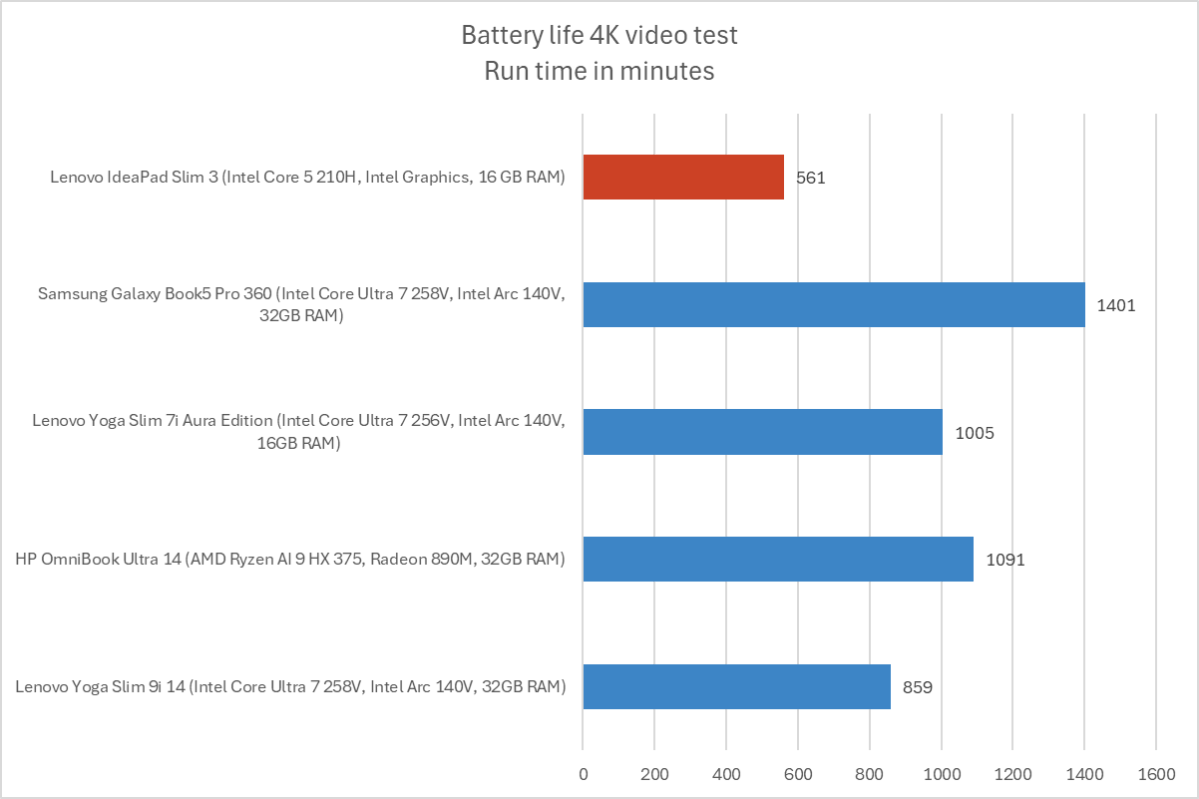
The standout feature of the Lenovo IdeaPad Slim 3, and the reason I would recommend it to any traveler or student, is its endurance. This device features an ultra-long battery life rated at approximately 13.5 hours. In real-world testing, even with the brightness turned up to 70%, most users are easily clearing 11 to 12 hours of active use.
Compare this to higher-end Windows laptops that often struggle to hit the 8-hour mark despite costing three times as much. For a student spending a day on campus or a traveler on a long-haul flight from New York to Tokyo, this longevity is a "secret weapon."
Expert Insight: "Battery life is the ultimate luxury in budget computing. When you don't have to carry a charger, the device's value effectively doubles for the mobile user."
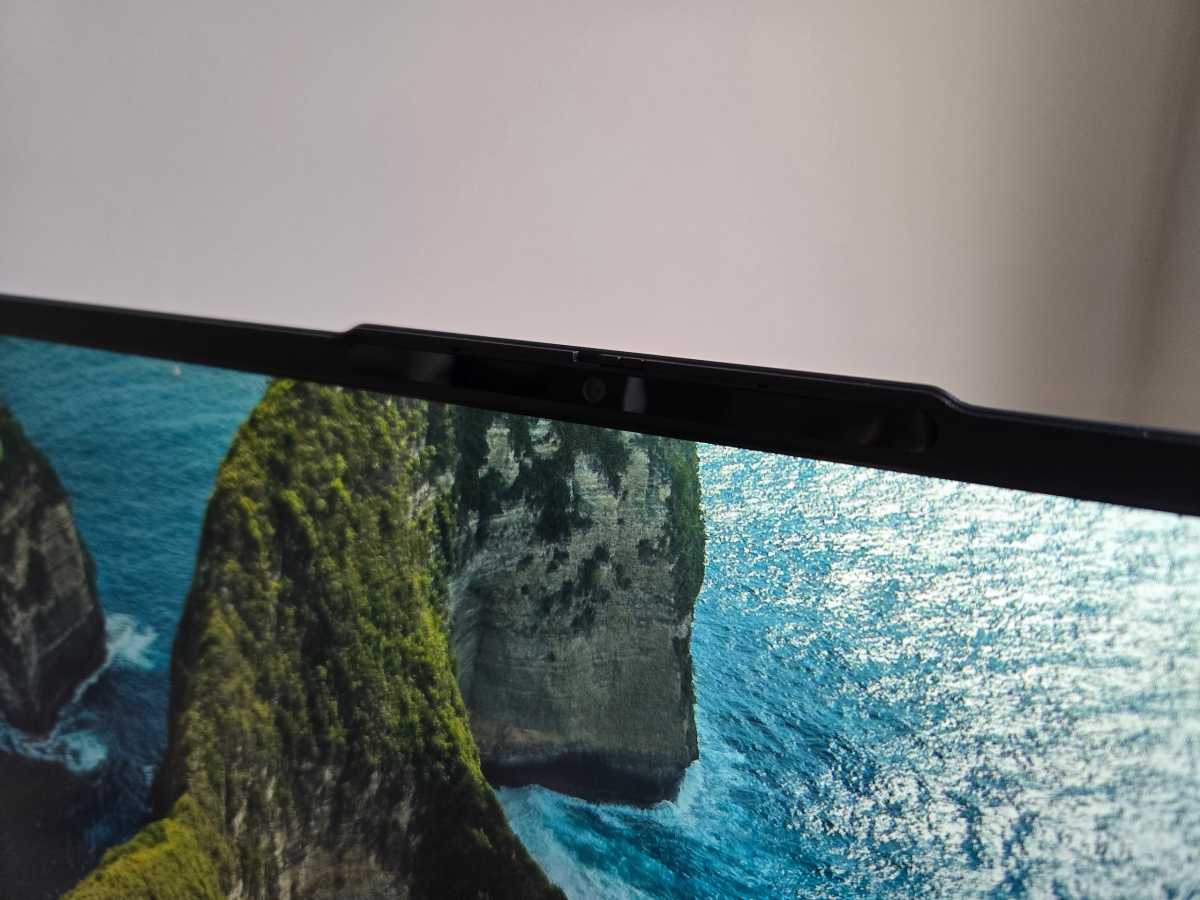
Beyond the battery, the hardware includes a surprisingly high-quality 1080p webcam. In a world of hybrid work and remote learning, having a sharp image on a $220 device is a luxury. Lenovo has also included a physical privacy shutter—a thoughtful security addition rarely found on devices at this price point.
The Hardware Trade-offs: Screen and Build Quality
To reach the $218 price point, compromises are inevitable. The most notable critique from experts involves the display's color accuracy. While it is 1080p and touch-enabled, the IPS panel is rated at 300 nits. This is perfectly adequate for indoor use, but if you try to work on a sunny terrace, you will find the screen looking somewhat "dull" and difficult to read.
The build quality also reflects its budget nature. While the plastic chassis is lightweight (approx. 2.9 lbs), there is a noticeable "mushy" flex if you press hard on the keyboard deck. However, for a touch-typist, the tactile feedback is surprisingly decent—standard Lenovo fare, which is to say, better than most competitors in this class.
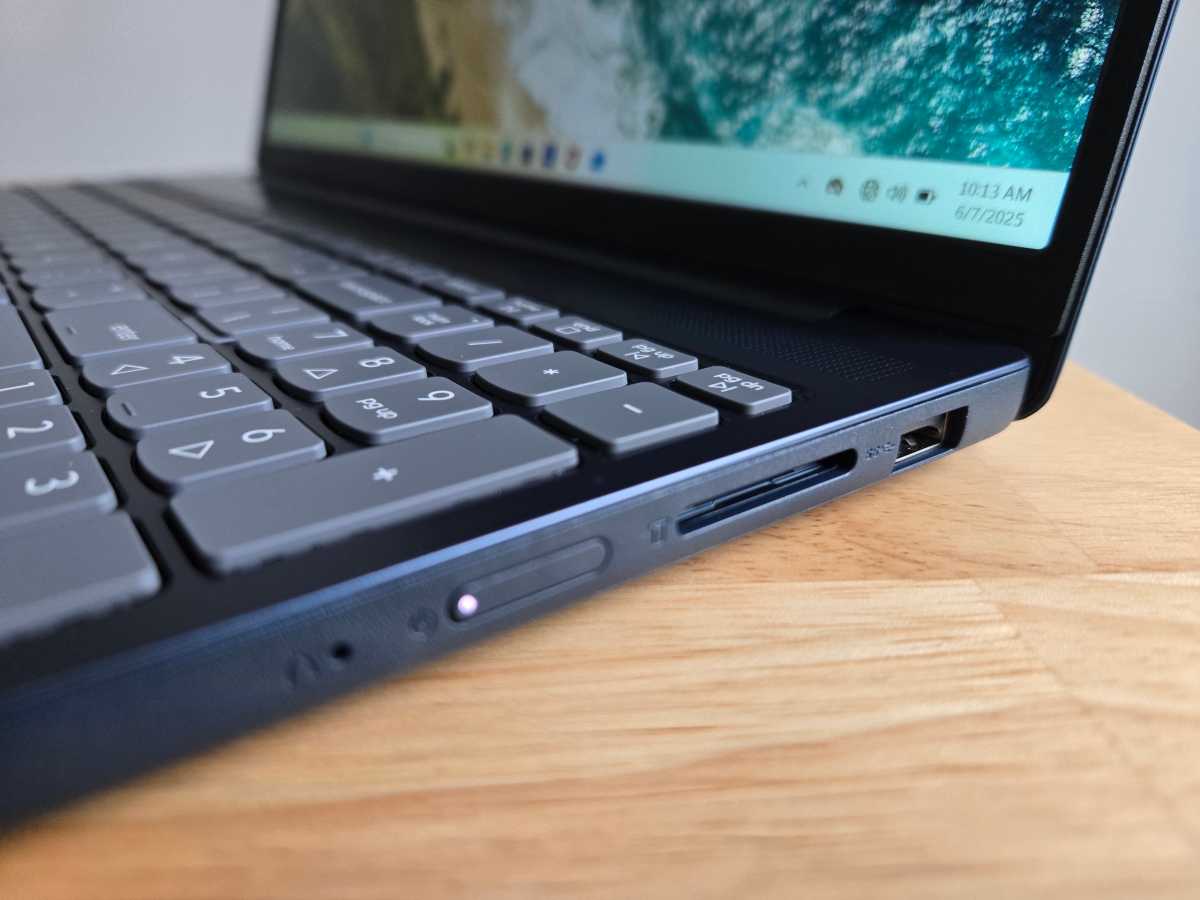
Connectivity and Ports: Despite its slim profile, Lenovo has remained practical regarding port selection. You aren't forced into "dongle hell."
- 1x USB-C: For charging and data transfer.
- 1x USB-A: For your legacy peripherals.
- MicroSD Card Reader: Crucial for expanding the 64GB of internal storage.
- Headphone Jack: A welcome inclusion for those of us who haven't fully committed to Bluetooth.
Comparing the Configurations: Where the Value Lies
It is important to distinguish the $220 Chromebook from its Windows siblings. As shown below, the value proposition shifts dramatically when you move up the price ladder.
| Feature | $220 Chromebook Config | $769 Windows Config |
|---|---|---|
| Operating System | ChromeOS (Lightweight) | Windows 11 (Heavy) |
| Processor | MediaTek Kompanio 520 | Intel Core i7 / Ryzen 7 |
| RAM | 4GB | 16GB |
| Storage | 64GB eMMC | 512GB SSD |
| Battery Life | ~13.5 Hours | ~6-8 Hours |
| Best For | Browsing, School, Travel | Productivity, Light Editing |
The data suggests that the IdeaPad Slim 3 makes the most sense at the bottom of the price scale. When you start paying $700+ for this chassis, the plastic build and "dull" screen become harder to justify. At $220, those flaws are merely "characteristics."
Verdict: Who Should Buy the IdeaPad Slim 3?
After analyzing the user data and technical specs, the conclusion is clear: the Lenovo IdeaPad Slim 3 is a masterclass in compromise.
The Winners:
- Students: It is the ultimate "backpack" laptop—light, durable enough for daily use, and features a battery that lasts through all your lectures.
- Casual Users: If your computer use is limited to paying bills, scrolling social media, and watching YouTube, there is no reason to spend $1,000 on a MacBook.
- Travelers: Its lightweight design and long battery make it an ideal companion for the road.
The Misses:
- Power Users: If you are a "tab hoarder" or need to run professional software, the 4GB RAM bottleneck will frustrate you within the first hour.
The Lenovo IdeaPad Slim 3 isn't trying to be the best laptop in the world; it’s trying to be the best laptop for $220. By that metric, it is an unqualified success.
FAQ
Is the Lenovo IdeaPad Slim 3 good for students? Yes. Between the 13.5-hour battery life and the lightweight 14-inch design, it is one of the best budget laptops for students who primarily use Google Workspace (Docs, Slides) and web-based research tools.
Can you run Windows apps on this version of the IdeaPad Slim 3? No, this specific model runs ChromeOS. It is designed to run apps from the Google Play Store and web-based applications. If you need specific Windows-only software like the full version of Adobe Creative Cloud, you should look for the Windows configuration (though it will be significantly more expensive).
Is the storage upgradable? The internal 64GB eMMC storage is soldered and cannot be upgraded. However, you can easily expand your storage using the built-in MicroSD card reader or by utilizing Google Drive cloud storage.