For the average laptop user, hardware "death" used to be a physical event—a flickering screen, a frayed charging cable, or the ominous sound of a fan spinning like a jet engine. However, as we approach the mid-way point of the decade, we are entering an era where hardware obsolescence is no longer dictated by physical failure, but by software policy and shifting digital standards.
By 2026, millions of perfectly functional laptops will become "digital paperweights" not because they broke, but because they can no longer meet the baseline requirements of the modern internet and operating systems. If you are currently shopping for a new device or wondering why your current machine feels like it's "playing chicken" with a total system crash, you are likely hitting a hardware wall.
The Great PC Purge of 2025-2026
The most significant date on the horizon is October 14, 2025. This is the official "End of Life" for Windows 10. While Microsoft has historically been lenient with legacy support, Windows 11—and the inevitable Windows 12—have drawn a hard line in the sand. This shift means that "old" is no longer a measure of years; it is a measure of specific architectural capabilities.
What laptop specs will be totally obsolete by 2026? The primary targets are systems with 8GB of RAM or less, mechanical HDD system drives, and hardware lacking TPM 2.0 support. Without these, you are not just looking at a slow computer; you are looking at a device that is increasingly incompatible with security updates, modern web browsers, and AI-integrated productivity suites.
1. Lack of TPM 2.0: The Hard Hardware Wall
The most controversial spec on this list is the Trusted Platform Module (TPM) 2.0. To the casual user, this sounds like technical jargon, but it is the "bouncer" at the door of Windows 11. TPM 2.0 is a dedicated chip—or a firmware instruction—that handles cryptographic keys to protect your identity and data.
Microsoft’s refusal to allow Windows 11 installations on hardware without TPM 2.0 has created a definitive expiration date for billions of dollars worth of hardware. After October 2025, if your laptop doesn't have TPM 2.0, you will stop receiving security patches. In an era where ransomware and zero-day exploits are professionalized industries, running an unsupported OS is akin to leaving your front door wide open in a high-crime neighborhood.
There is, however, a "Linux Escape Hatch." For those with high-quality hardware that simply lacks the TPM 2.0 chip, switching to a lightweight Linux distribution like Mint or Ubuntu can extend the device's life. Linux doesn't care about Microsoft's hardware mandates, making it the primary way to keep perfectly good silicon out of a landfill.
2. 8GB of RAM or Less: The Multitasking Bottleneck
For the last decade, 8GB of RAM was considered the "sweet spot" for a budget or mid-range laptop. In 2026, 8GB will be the new 4GB—barely enough to boot the system, let alone get work done.
The primary culprit is the "Chromium Tax." Most modern browsers—Chrome, Edge, Brave—are built on the Chromium engine. Empirical tests show that these browsers now require approximately 30% more RAM than they did just three years ago. A modern web page is no longer just text and images; it is a complex container of scripts, video players, and tracking pixels. Opening just 10 tabs in Chrome can easily consume 2GB to 3GB of RAM.
Furthermore, the rise of AI-driven background tasks—such as Microsoft’s Copilot or integrated system search—constantly nibbles away at your available memory. When you run out of RAM, your laptop begins "paging"—using your much slower storage drive as temporary memory. This is the moment your cursor starts to lag and your applications stop responding. By 2026, 16GB will be the absolute baseline for a fluid multitasking experience.
3. Mechanical HDD System Drives: The Performance Killer
If your laptop still relies on a mechanical Hard Disk Drive (HDD) for its operating system, it is already obsolete; it just doesn't know it yet. The physical limitation of a spinning platter and a moving needle cannot keep up with the data-heavy demands of modern software.
The data is undeniable: Upgrading from a traditional HDD to a Solid State Drive (SSD) can reduce system boot times by up to 100x and improve application load speeds by 60% on legacy hardware. Modern versions of Windows and MacOS are designed with SSDs in mind, relying on "random access speeds" that an HDD simply cannot provide.
In the gaming and professional creative sectors, the transition is already complete. Modern AAA game titles and professional suites like Adobe Creative Cloud now list SSDs as a minimum requirement, not a recommendation. If your drive is clicking and whirring while you wait for a Word document to open, you are fighting a losing battle against physics.

Bonus: Other Features Fading Out by 2026
While RAM and storage are the "big two," several other features are quietly slipping into the realm of the obsolete:
- 720p Displays: In a world of 4K streaming and high-density smartphone screens, a 1366x768 (720p) laptop display looks grainy and limits your workspace. By 2026, 1080p (Full HD) will be the bare minimum, with 1440p becoming the new standard for mid-range devices.
- USB-A Exclusivity: While the rectangular USB-A port is iconic, it is being phased out. The industry has pivoted to USB-C and Thunderbolt 5, which handle power, data, and video through a single cable. A laptop without at least two USB-C ports will feel severely disconnected by 2026.
- Intel/AMD Legacy Battery Standards: We are seeing a seismic shift toward ARM64 architecture (seen in Apple’s M-Series chips and Qualcomm’s Snapdragon X Elite). These chips offer 20+ hours of battery life, making the 4-6 hour battery life of older x86 laptops feel practically tethered.
Comparison Table: 2021 Standards vs. 2026 Requirements
To help you audit your current setup, I’ve compiled a comparative look at how "acceptable" specs have shifted in just five years.
| Feature | 2021 "Good Enough" Standard | 2026 "Obsolete" Warning | 2026 Recommended Minimum |
|---|---|---|---|
| RAM | 8GB DDR4 | 8GB or less | 16GB DDR5 |
| Storage Type | 256GB HDD or SATA SSD | Mechanical HDD | 512GB NVMe PCIe Gen 4 SSD |
| Security | TPM 1.2 or None | No TPM 2.0 | TPM 2.0 (Mandatory) |
| Display | 720p / 300 nits | 720p / Low Color Accuracy | 1080p IPS / 400+ nits |
| Connectivity | USB-A and HDMI | USB-A only | USB-C (Power Delivery/DP) |
| OS Support | Windows 10 | Windows 10 (End of Life) | Windows 11 / 12 / Linux |
Future-Proofing: What to Buy for 2026 and Beyond
If you are looking to purchase a laptop that will actually survive the next five years, don't buy for today’s needs—buy for tomorrow’s bloat. Here is my "James Wright approved" spec checklist for different user roles:
- The Administrative User (Email, Docs, Web):
- RAM: 16GB (Non-negotiable)
- Storage: 256GB SSD
- Processor: Intel Core i5 or Ryzen 5 (Current Gen)
- The Creative Pro (Photo, Video, Coding):
- RAM: 32GB
- Storage: 1TB NVMe SSD
- Display: 100% sRGB or DCI-P3 color coverage
- The Power User/Gamer:
- RAM: 32GB DDR5
- Connectivity: Wi-Fi 7 and Thunderbolt 4/5
- Processor: Dedicated NPU (Neural Processing Unit) for AI tasks
One of the few devices currently hitting the "Sweet Spot" for these 2026 requirements is the new generation of Copilot+ PCs. Devices like the ASUS Vivobook S 15 are leading the charge with high-efficiency ARM-based processors and enough RAM to handle the coming wave of AI integration.
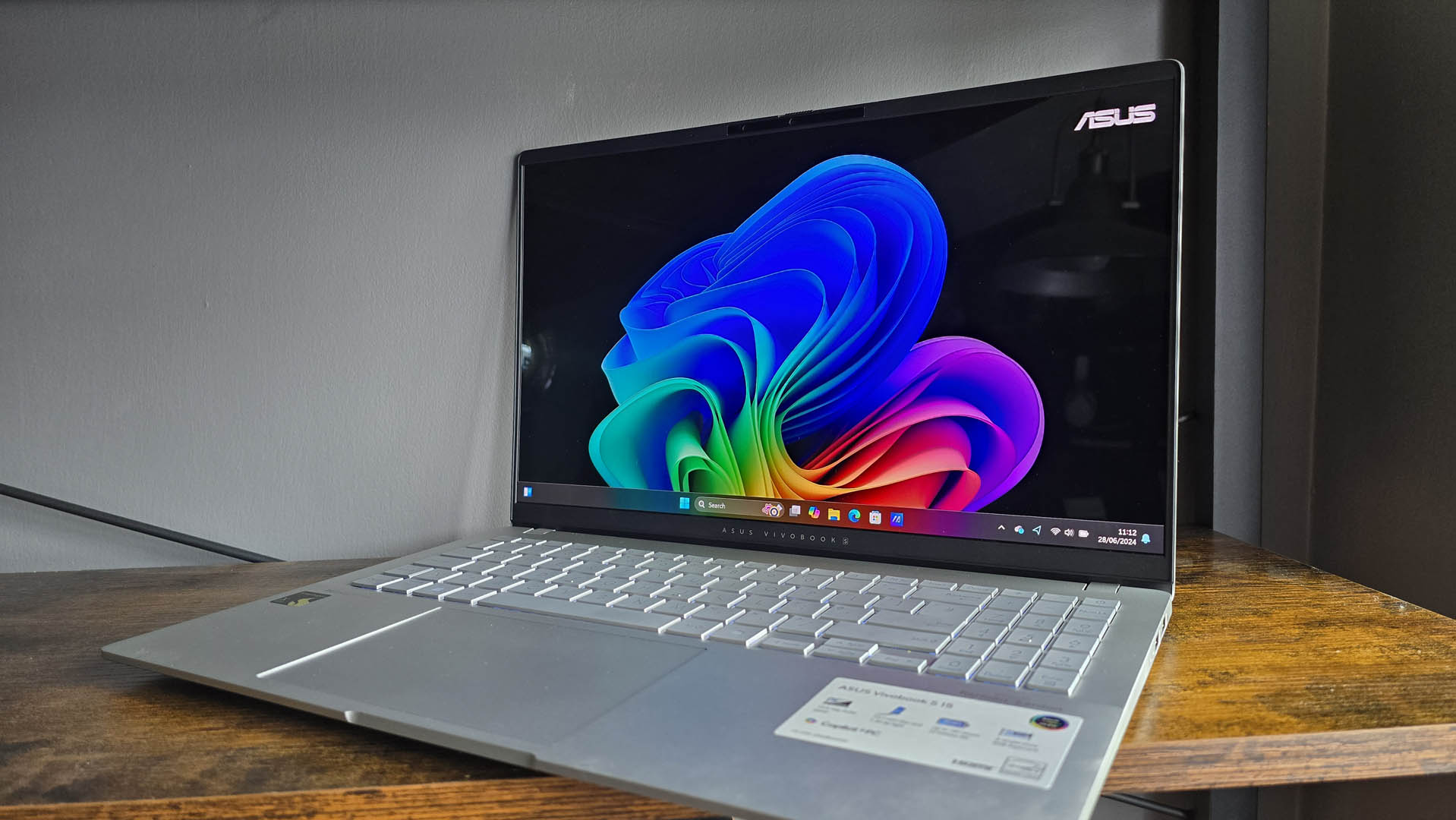
Check Out Future-Proof Copilot+ PCs →
Conclusion: Retirement or Repurposing?
The "Great PC Purge" of 2026 doesn't have to mean your current laptop ends up in a landfill. If your machine is falling behind these specs, you have three choices: Upgrade (if your laptop allows for RAM and SSD swaps), Repurpose (convert it into a dedicated Linux machine or a home media server), or Replace.
In the world of technology, standing still is the same as moving backward. By identifying these three obsolete specs now, you can avoid the frustration of a "dying" PC and make an informed investment in hardware that will actually serve you through the end of the decade.
FAQ
Q: Can I bypass the TPM 2.0 requirement to install Windows 11? A: There are workarounds (like using Rufus to create a modified installer), but they are not recommended for primary work machines. Microsoft can—and does—block security updates for "unsupported" installations, leaving your data at risk.
Q: Is it worth upgrading the RAM in a 5-year-old laptop? A: Only if the CPU supports TPM 2.0. If your processor is too old to officially run Windows 11, spending money on RAM is often "throwing good money after bad." Check your CPU's compatibility first.
Q: Why is 16GB RAM the new minimum? A: It’s a combination of web browser bloat and the "Background Task" economy. With AI assistants, security software, and communication tools (Slack/Teams) running simultaneously, 8GB simply doesn't provide enough headroom to avoid system slowdown.
Are you ready for 2026?
Don't wait for the Windows 10 "Death Date" to start your transition. Audit your specs today and ensure your hardware can keep pace with the software of tomorrow.