Imagine your typical Tuesday morning in 2026. You wake up to a barrage of seventeen notifications—three urgent emails, four Slack pings, a family group chat debate about next month’s dinner, and a calendar that looks more like a game of Tetris than a manageable schedule. This is "digital chaos," and if it feels suffocating, you aren't alone. Approximately 70% of modern professionals report feeling overwhelmed by the sheer volume of digital inputs, a phenomenon psychologists refer to as "Cognitive Load." When our brains are forced to track dozens of disparate tasks, our working memory hits its limit, leading to what is now commonly termed "time anxiety."
The solution is no longer a simple paper planner or a static to-do list. In 2026, the frontier of productivity has shifted toward high-tech, integrated tools designed to act as an external prefrontal cortex.
The Professional’s Verdict
- Best for Stress Reduction: Reclaim.ai is the premier choice for protecting mental health through automated AI time-blocking and over-scheduling prevention.
- Best for Households: Cozi remains the gold standard for family organization, effectively eliminating communication gaps between family members.
- Best for Neurodivergent Users: Saner.AI and Goblin.tools are the most effective tools for breaking complex tasks into manageable steps to reduce cognitive overwhelm.
Why Your Productivity Tool is a Mental Health Asset
In my years analyzing efficiency across various sectors, I have found that the most successful individuals don't just work harder; they manage their "cognitive budget" with precision. Data suggests that productivity isn't just about output—it’s about the preservation of peace. Users who implement AI-driven time-blocking tools report a staggering 42% decrease in "time anxiety." By delegating the mental labor of scheduling to an algorithm, these individuals save an average of 5 hours per week on administrative tasks alone.
The 2026 productivity landscape is defined by "Human-Centric Automation." It’s no longer enough for an app to simply list what you need to do; it must understand when you have the energy to do it. Those using integrated task managers like Todoist see a 30% increase in project completion rates precisely because these tools reduce the "friction of starting."

1. Reclaim.ai: Best for AI Calendar Automation & Stress Reduction
If there is a "First Class" experience in calendar management, Reclaim.ai is it. Unlike traditional calendars that serve as passive grids, Reclaim is an active participant in your day. It uses sophisticated AI to defend your time. If a meeting is scheduled over your lunch break, Reclaim automatically moves your "Rest" block to the next available slot.
The genius of Reclaim lies in its "Habits" and "Buffer Time" features. It recognizes that humans are not machines; we need transition time between deep-work sessions. By protecting these gaps, Reclaim prevents the back-to-back meeting fatigue that is the primary driver of professional burnout.
- Key Features: Smart time-blocking, auto-syncing across multiple calendars, and "Defrag" logic that optimizes your schedule for maximum focus blocks.
- Pros: Prevents over-scheduling; integrates deeply with Google Calendar and Outlook; excellent free tier.
- Cons: Currently limited to web-based calendar providers; mobile app is less robust than the desktop version.
- Best For: Professionals with high-density schedules who suffer from "calendar dread."
Pricing: Free basic plan; Pro plans from $8–$15/mo. Platforms: Web (Google/Outlook), iOS, Android.
2. Cozi: Best for Family Organization & Household Harmony
Productivity is rarely a solo endeavor, particularly for those managing a household. Cozi solves the "mental load" problem that often falls on one partner. It serves as a centralized hub where grocery lists, school schedules, and chores coexist.
The beauty of Cozi is its accessibility. It doesn't require a degree in project management to operate. By synchronizing family schedules in real-time, it eliminates the "I thought you were picking up the kids" phone calls. In my analysis, Cozi is the top recommendation for family organization because it bridges the communication gap between family members of all ages.
- Key Features: Color-coded family calendar, shared shopping lists, recipe box, and automated daily or weekly agendas sent via email.
- Pros: Extremely user-friendly; keeps family life separate from work tasks; prevents double-booking family events.
- Cons: The free version is ad-supported, which can be distracting; UI feels slightly dated compared to modern AI tools.
- Best For: Families seeking to decentralize household management and reduce domestic stress.
Pricing: Free version available; Cozi Gold (ad-free + extra features) for $29.99/year. Platforms: iOS, Android, Web.
3. Saner.AI: Best for ADHD-Friendly Task Management
Neurodivergent users, particularly those with ADHD, often find traditional productivity apps too rigid or overwhelming. Saner.AI addresses this by focusing on "Sanity over Speed." It utilizes a chat-first AI assistant that allows users to dump their thoughts and ideas into a unified workspace without worrying about perfect categorization.
Saner.AI excels at breaking down complex, daunting tasks into manageable, micro-steps. This reduces the "executive function" barrier that often leads to procrastination. By providing a clean, distraction-free UI, it helps users focus on the next step rather than the entire mountain.
- Key Features: AI-powered task breakdown, unified workspace for notes and to-dos, and an ADHD-specific interface designed to minimize cognitive load.
- Pros: Incredible for reducing "blank page" syndrome; very intuitive AI interaction; focuses on mental well-being.
- Cons: Newer player in the market with fewer third-party integrations; requires a subscription for the best AI features.
- Best For: Neurodivergent professionals and students who struggle with traditional organizational systems.
Pricing: Free plan; Paid tiers from $6/mo. Platforms: Web, Mobile.
4. ChatGPT: Best for Brainstorming & Rapid Planning
While many view ChatGPT as a content creation tool, its true power in 2026 lies in its role as a "Thinking Partner." For many, stress begins at the planning phase. ChatGPT can take a vague objective—"Plan a 3-day corporate retreat"—and instantly generate a structured project plan, including checklists and timelines.
Using the voice mode allows for "thinking out loud," a vital technique for auditory learners and busy executives. It’s the ultimate tool for overcoming the friction of a complex start.
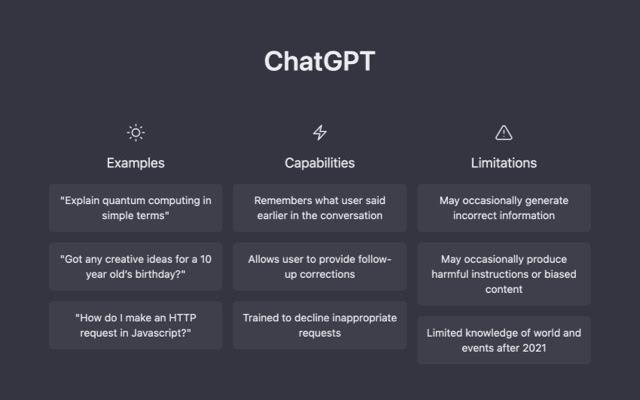
- Key Features: GPT-4o integration, autonomous research agents, and high-fidelity voice interaction for hands-free planning.
- Pros: Unmatched versatility; acts as a 24/7 personal assistant; integrates with almost any workflow.
- Cons: Can occasionally "hallucinate" or provide overly generic advice; requires human oversight for accuracy.
- Best For: Rapid planning, research-heavy tasks, and breaking through creative blocks.
Pricing: Free tier; Plus for $20/mo. Platforms: iOS, Android, Web.
5. OneSec: Best for Breaking Digital Addiction Loops
Sometimes, the most productive thing you can do is not check your phone. OneSec is a psychological intervention tool rather than a traditional task manager. When you attempt to open a distracting app (like Instagram or X), OneSec forces you to take a deep breath for one second before the app opens.
This behavioral interruption breaks the dopamine loop of "unconscious scrolling." In my testing, this brief pause is often enough to remind the user that they actually wanted to be doing something else, effectively reclaiming hours of lost time each week.
- Key Features: One-second breathing delay, usage insights, and "Alternative Action" prompts.
- Pros: Scientifically backed method for habit change; low friction but high impact; remarkably affordable.
- Cons: Can be frustrating if you actually need to use a blocked app quickly; setup requires some "Shortcuts" knowledge on iOS.
- Best For: Anyone struggling with digital addiction or "doom-scrolling."
Pricing: Free for 1 app; Pro from $2.99/mo. Platforms: iOS, Android, macOS.
6. Rize: Best for Real-Time Habit Tracking & Burnout Prevention
Rize is an intelligent time-tracker that doesn't just tell you what you did, but how it affected your focus. It automatically categorizes your computer activity and provides a real-time "focus score." More importantly, Rize tracks your work sessions and notifies you when it’s time to take a break based on your cognitive load.
This is the ultimate tool for "Deep Work." By identifying which habits lead to distractions, Rize allows users to iterate on their daily routine with surgical precision.
- Key Features: Automatic time tracking, AI-driven break notifications, and detailed productivity trend reporting.
- Pros: Requires zero manual entry; excellent at identifying "time sinks"; provides quantifiable data on productivity.
- Cons: Can feel a bit "Big Brother" for those sensitive about privacy; desktop-only (no mobile tracking for phone usage).
- Best For: Freelancers and remote workers who need to quantify their focus and prevent burnout.
Pricing: Paid from $9.99/mo. Platforms: macOS, Windows.
7. Motion: Best All-in-One Workspace for Professionals
Motion is arguably the most powerful tool on this list for those managing complex, multi-stakeholder projects. It merges your calendar, tasks, and projects into a single AI-driven interface. Motion’s standout feature is its ability to automatically rebuild your entire team’s schedule when priorities shift.
If a project deadline is moved up, Motion reshuffles every team member’s calendar to ensure the work is completed without manual intervention. It is a premium product with a premium price tag, but for high-level project managers, the ROI is undeniable.
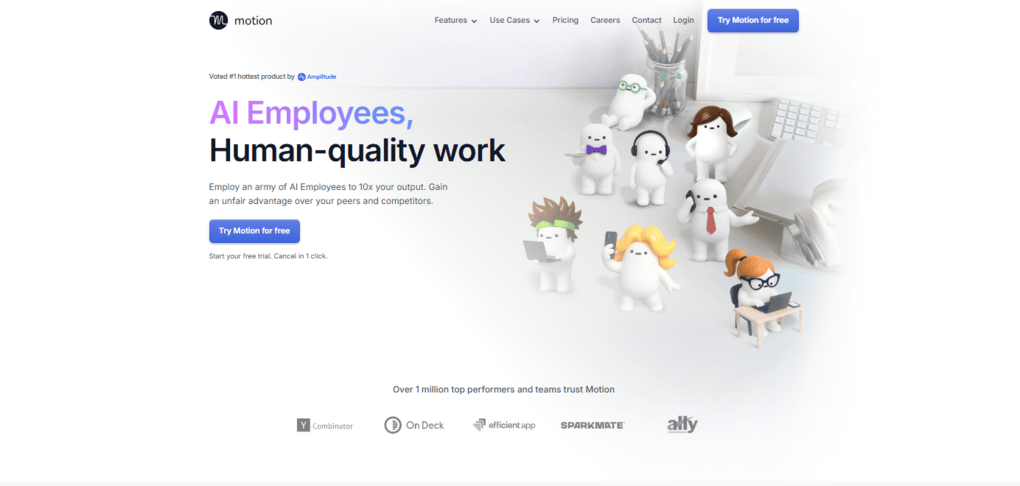
- Key Features: AI project manager, automated task scheduler, and an integrated meeting booking assistant.
- Pros: Eliminates the need for manual project scheduling; incredibly powerful for teams; centralized "source of truth."
- Cons: High price point; steep learning curve for those not used to complex PM tools.
- Best For: Executives, agency owners, and project leads who handle high volumes of moving parts.
Pricing: From $19/user/month. Platforms: Web, Mobile.
Comparison Table: Best Productivity Apps of 2026

| Tool | Best For | Key Stress-Reduction Feature | Pricing |
|---|---|---|---|
| Reclaim.ai | AI Calendar Automation | Smart Buffer Time & Habit Protection | Free / $8+ mo |
| Cozi | Family Organization | Shared Household Calendars & Lists | Free / $29.99 yr |
| Saner.AI | Neurodivergent Users | ADHD-Friendly Task Breakdown | Free / $6+ mo |
| ChatGPT | Rapid Planning | Brainstorming & AI "Thinking Partner" | Free / $20 mo |
| OneSec | Breaking Social Media Loops | Behavioral Interruption (Breathing) | Free / $2.99 mo |
| Rize | Deep Work / Habit Tracking | Automated AI Break Notifications | $9.99+ mo |
| Motion | Project Management | Automated Team Scheduling | $19+ mo |
FAQ
Q: Are these apps safe for my data? A: Most modern productivity apps, especially those like Reclaim and Motion, use SOC2 Type II security standards and end-to-end encryption. However, always review the privacy policy regarding how AI models use your data for training.
Q: Can I use multiple apps from this list together? A: Absolutely. A common "power stack" includes Reclaim for the calendar, OneSec for focus, and Cozi for home life. Many of these tools offer native integrations to talk to one another.
Q: I’m not tech-savvy; which one should I start with? A: Start with Cozi for your family or OneSec for your phone. Both have incredibly simple interfaces and provide immediate value without a complex setup process.
Final Thoughts
Productivity in 2026 is no longer about doing "more." It is about doing what is meaningful while protecting your most valuable resource: your mental clarity. Whether you choose the automated brilliance of Reclaim.ai or the focus-building power of OneSec, the goal remains the same—to move from a state of digital chaos to one of calm, deliberate control.
Don't wait for the burnout to arrive. Choose one tool today, reclaim your five hours a week, and start building a life that feels as organized as it is impactful.