If you’ve spent any time in a club or at a festival lately, you’ve likely felt the pull: that irresistible urge to be the one behind the decks, controlling the energy of the room. Traditionally, the barrier to entry for professional-grade DJing was steep, characterized by expensive vinyl setups or rack-mounted CDJs that cost as much as a used car. However, as we move into 2026, the landscape has shifted dramatically. Industry data reveals that the average cost of a professional-grade beginner DJ bundle has decreased by 12% compared to 2024, lowering the entry barrier for high-quality audio interfaces and tactile control.
For the aspiring artist in 2026, the market is no longer about finding "affordable" gear that feels like a toy; it is about selecting "entry-level" gear that mirrors the professional club standard. The best DJ controller for beginners in 2026 is the AlphaTheta DDJ-FLX4. It has maintained its position as the industry benchmark because of its intuitive club-standard layout and its unique dual-compatibility with both Rekordbox and Serato software. Whether you are looking to play your first house party or move into a residency, this is the hardware that bridges the gap.
The Beginner’s Essential Equipment Checklist
Before you invest a single dollar, it is crucial to understand that a modern DJ setup is an ecosystem, not just a single piece of plastic. I often refer to the controller as the "Control Center" and the software as the "Engine." To get started today, you need four core pillars:
- A DJ Controller: This is your physical interface. It features the jog wheels (to control track position), the faders (to control volume), and the EQ knobs (to blend frequencies).
- A Laptop or Mobile Device: This acts as your library and processing unit. While standalone systems exist, most beginners will start with a laptop-based workflow.
- DJ Software: The program that analyzes your music, handles the audio processing, and visualizes the waveforms.
- High-Quality Closed-Back Headphones: These are non-negotiable for "cueing" your next track without the audience hearing it.
Market trends for 2026 indicate a significant shift in how DJs source their music. Recent data shows that 75% of first-time DJ gear buyers now prioritize controllers with direct music streaming integration (such as Tidal, SoundCloud, or Beatport) over traditional local library support. The era of carrying around external hard drives full of MP3s is fading; the modern beginner is a "cloud-first" performer.
Best Entry-Level Controllers for 2026 (Under $500)
When evaluating hardware, I look for "transferable skills." You want a controller that feels like the gear you will find in a professional booth.
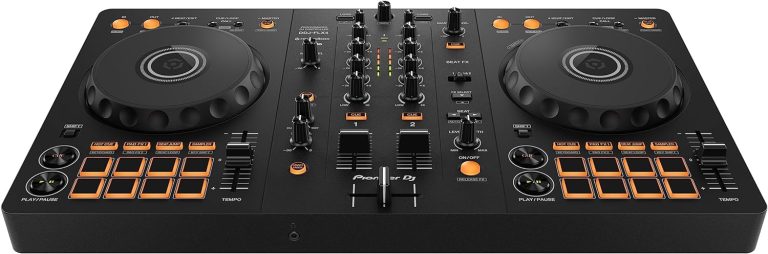
The Industry Standard: AlphaTheta DDJ-FLX4
The DDJ-FLX4 remains the gold standard for a reason. Its layout is a direct "miniature" version of the CDJ-3000 and DJM-900NXS2 setups found in world-class clubs. It features "Smart CFX" and "Smart Fader" technology, which helps beginners execute professional-sounding transitions while they are still learning the fundamentals of beatmatching.
View AlphaTheta DDJ-FLX4 Pricing →
The Ultra-Portable Option: AlphaTheta DDJ-FLX2
If your primary device is an iPad or a smartphone rather than a laptop, the DDJ-FLX2 is the 2026 breakout hit. It is bus-powered, meaning it draws power directly from your device, and is small enough to fit in a standard backpack. Despite its size, it retains the essential tactile feel required to learn the craft.
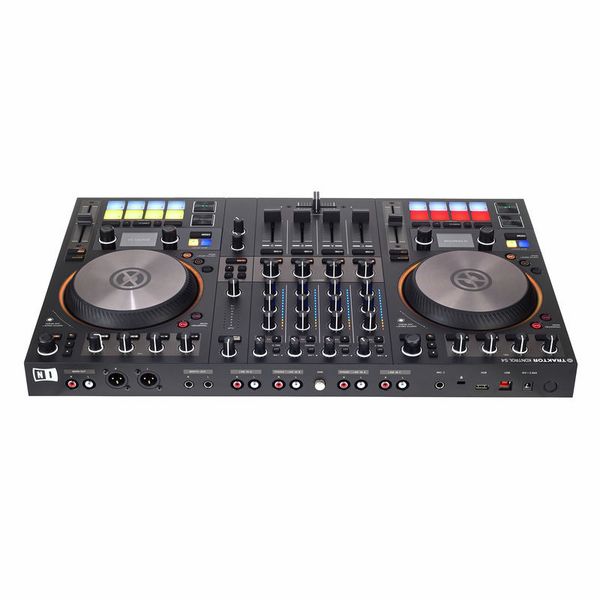
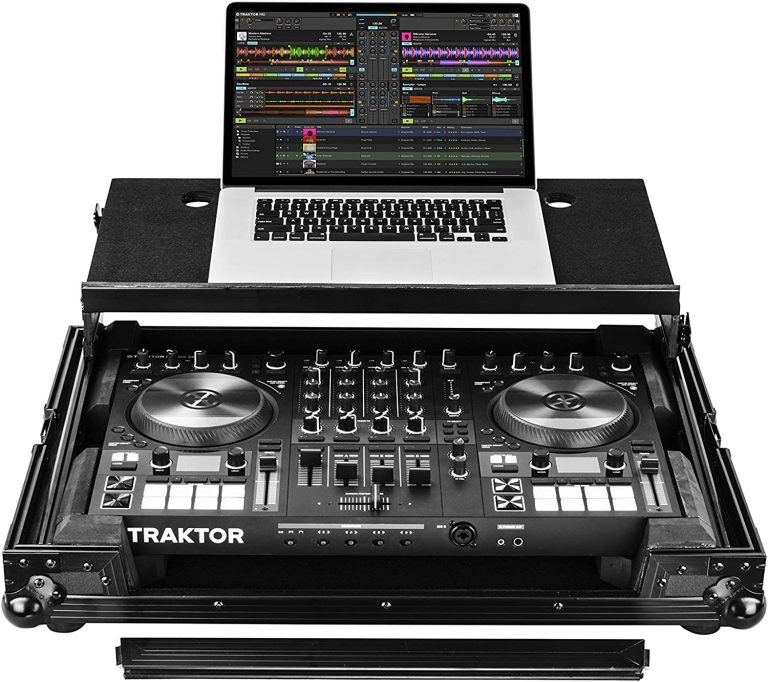
The Creative Choice: Native Instruments Traktor MX2
For those who lean more toward electronic production and live remixing, the Traktor MX2 is a formidable alternative. It features a sleek matte finish and is specifically optimized for "Stems"—a technology that allows you to isolate vocals, drums, or basslines in real-time.
Explore Traktor MX2 Features →
The Brains of the Operation: Rekordbox vs. Serato vs. Traktor
Choosing your software is perhaps the most critical decision you will make. This choice often dictates the hardware you can use and the workflow you will master. In 2026, the "Big Three" have specialized further into distinct niches.
| Software | Best For | Key Feature (2026) | Price Model |
|---|---|---|---|
| Rekordbox | Club Aspirations | Cloud Library Sync & CDJ Export | Freemium / Subscription |
| Serato DJ | Hip-Hop & Scratching | Best-in-class Stem Separation | One-time Buy / Subscription |
| Traktor Pro | Techno & Live Remixing | Advanced MIDI Mapping & Stems | One-time Buy |
| djay Pro | Mobile & Streaming | Neural Mix (AI Vocal Isolation) | Subscription |
Pro-Tip: Most controllers come with a "Lite" version of the software. However, the 12% price drop in gear we’ve seen recently often allows beginners to put that saved money toward a "Pro" software license, which unlocks essential recording and mapping features.
The Fork in the Road: Standalone Systems vs. Laptop Controllers
One of the most frequent questions I receive from new DJs is whether they should skip the laptop setup entirely and go "Standalone."
The Price Reality: A high-quality laptop-based controller typically ranges from $300 to $600. Conversely, standalone DJ systems—which have their own built-in screens and processors—typically start at over $1,000.
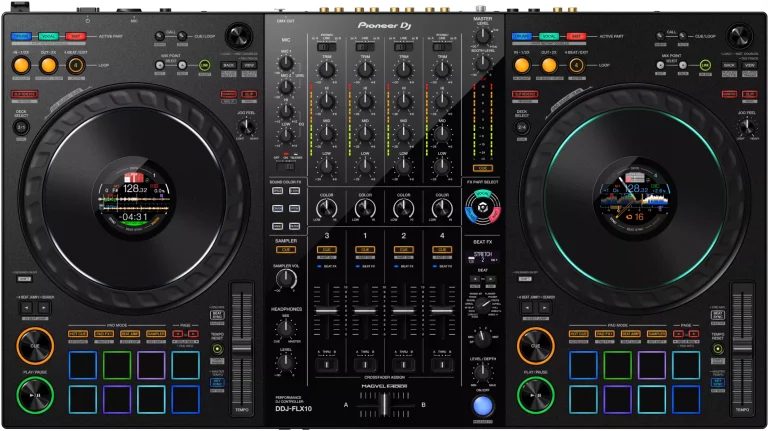
Laptop-Based Controllers (e.g., DDJ-FLX10): These units act as a giant mouse for your computer. The advantage here is the massive screen of your laptop and the ability to easily manage thousands of tracks. The downside is the "Laptop Face" phenomenon, where a DJ looks at a screen instead of the crowd.
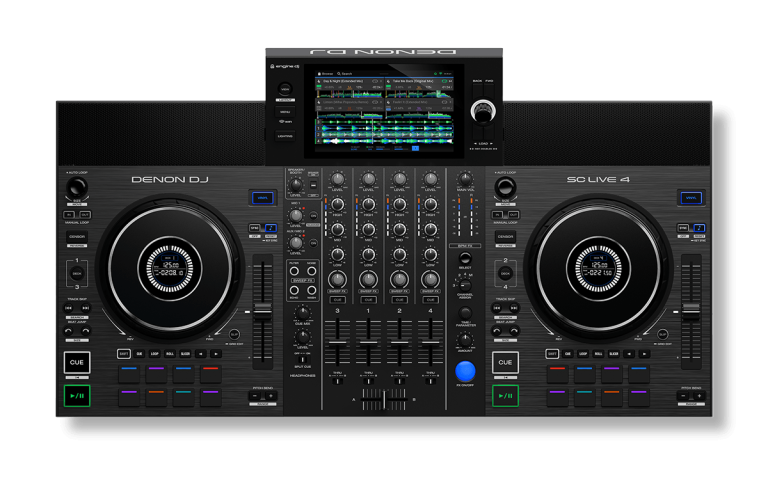
Standalone Systems (e.g., Denon SC Live 4 or Numark Mixstream Pro Go): These are all-in-one units. You export your music to a USB drive, plug it in, and the controller does the rest. It is the closest experience to playing in a professional club. The Numark Mixstream Pro Go even features built-in speakers and a battery, making it the ultimate portable professional tool.
Essential Accessories: Hearing the Mix
You cannot DJ with consumer-grade Bluetooth earbuds. The latency (the delay between pressing a button and hearing the sound) will make beatmatching impossible. You need closed-back, wired headphones.
- Audio-Technica ATH-M50xBT2: These are the industry workhorse. While they have Bluetooth for casual listening, they include a coiled cable for lag-free DJing. Their closed-back design provides excellent isolation in loud environments.
- Pioneer HDJ-CUE1BT: A more budget-friendly option that emphasizes the low-end (bass) frequencies, making it easier for beginners to hear the "kick" of the track they are trying to mix in.
When it comes to speakers, don't feel the need to buy massive PA systems immediately. A pair of 5-inch studio monitors (like the Pioneer DM-50D) is perfect for a bedroom setup. Just ensure your controller has the correct outputs—most entry-level units use RCA (red and white cables), while pro units use XLR (three-pin balanced cables).
Avoiding Buyer's Regret: 3 Mistakes to Avoid
In my years as a critic, I have seen many enthusiastic beginners give up within months because they made one of these three errors:
- Overspending on 'Overpriced Audio Tech': You do not need a $2,000 mixer to learn how to phrase-match. Start with a 2-channel controller. Master the fundamentals first.
- Ignoring Software Compatibility: Before you buy, ensure your laptop's operating system is compatible with the software. M-series Mac chips and modern Windows processors are standard, but older machines may struggle with the AI-driven "Stem" separation features common in 2026.
- Buying Gear Without a 24-bit Audio Interface: Cheap, off-brand controllers often have poor internal sound cards. This results in "muddy" audio that sounds terrible when played through larger speakers. Stick to reputable brands like AlphaTheta, Denon, or Native Instruments to ensure 24-bit audio quality.
FAQ: Your First Gig Questions Answered
Q: Do I need to learn how to use vinyl to be a "real" DJ? A: Absolutely not. While vinyl is a respected art form, 99% of professional club booths today are digital. Learning on a controller like the DDJ-FLX4 provides you with the digital skills necessary for the modern industry.
Q: Is it possible to DJ using only streaming services like Spotify or Apple Music? A: As of 2026, Spotify and Apple Music do not integrate directly with professional DJ software due to licensing. However, services like Tidal and SoundCloud Go+ are fully integrated into Rekordbox and Serato, allowing you to stream millions of tracks directly to your decks.
Q: How much should I realistically spend on my first full setup? A: For a solid beginner setup (Controller, Headphones, and entry-level Monitors), you should budget between $600 and $850. This ensures you have gear that won't require an upgrade within six months.
Conclusion & Getting Started
The world of DJing has never been more accessible. With the 12% drop in gear costs and the rise of high-fidelity streaming integration, the "bedroom to booth" pipeline is shorter than ever. If you are serious about starting your journey in 2026, my advice is simple: Invest in the AlphaTheta DDJ-FLX4, pick a software ecosystem (I recommend Rekordbox for club goals), and start practicing your transitions.
The gear is merely a tool; your ears and your taste are the real instruments. Now, go find your sound.