Quick Facts
- Technology: iPhone Pro models (12 Pro and newer) utilize a LiDAR (Light Detection and Ranging) sensor to measure distances and create high-precision 3D maps.
- Efficiency: Utilizing mobile LiDAR applications can reduce the time required for manual room measurements and 3D modeling by up to 80% compared to traditional tape measure methods.
- Precision: These sensors provide spatial mapping with millimeter-level precision, rivaling professional surveying equipment that historically cost thousands of dollars.
- Primary Limitation: The iPhone LiDAR sensor cannot see through walls or solid objects; it maps only what is in the camera's direct line of sight.
- Top 2026 Recommendations: Polycam (best for versatility), Scaniverse (best for Gaussian Splatting), and Scanbrix (best for CAD/BIM workflows).
In the professional world of architecture, interior design, and even high-end travel documentation, the manual tape measure is rapidly becoming the "paper map" of the 2020s—a nostalgic but inefficient relic of a bygone era. Since the introduction of the LiDAR sensor in the iPhone 12 Pro, Apple has effectively democratized professional-grade spatial scanning. By 2026, this technology has matured from a niche gimmick into a foundational tool for the "spatial computing" era. To turn your iPhone into a professional 3D scanner, you simply need to download a LiDAR-enabled app like Polycam or Scaniverse; these apps utilize the built-in sensor on iPhone 12 Pro or newer models to create digital 3D models of rooms and objects with staggering speed and accuracy.
How LiDAR Works (and What It Can’t Do)
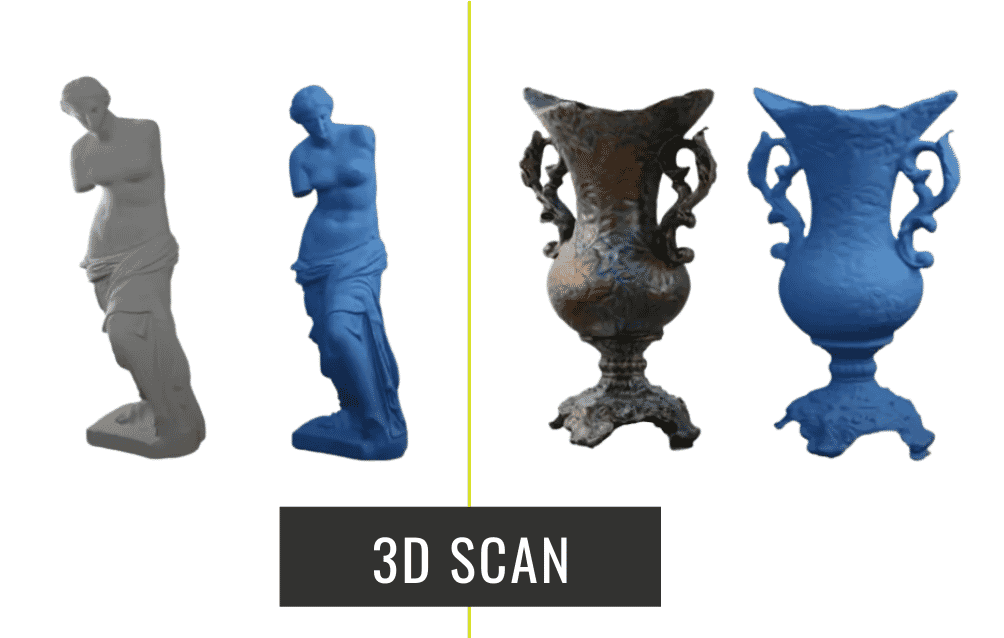
The magic behind these apps isn't just software; it’s a hardware-software synergy. The LiDAR sensor works by firing infrared laser pulses that bounce off surfaces to calculate distance based on the "time of flight." This creates a "point cloud"—a dense collection of data points in 3D space. When combined with the iPhone’s advanced image processing, these points are converted into textured meshes that look like photorealistic digital twins of the real world.
However, it is vital to manage expectations regarding physics. A common misconception among new users is the "X-ray" myth. The iPhone LiDAR sensor cannot see through walls. It functions essentially like a highly advanced flashlight; if the camera cannot see a surface, the sensor cannot map it. It captures only the "skin" of the environment. Despite this limitation, the efficiency gains are undeniable. For a travel critic documenting a historic suite in Paris or an architect surveying a renovation site, the ability to generate a 1:1 digital replica in minutes—reducing manual measurement time by roughly 80%—is a paradigm shift in productivity.
Top 3 Free 3D Scanner Apps for 2026
The market for 3D scanning has bifurcated into consumer-friendly "capture" apps and professional-grade "measurement" tools. As of 2026, three apps stand above the rest for their balance of features, export flexibility, and cost-efficiency.
1. Polycam: The Most Versatile All-Rounder
Polycam remains the gold standard for the average user and the professional hobbyist. Its "Room Mode" is particularly impressive, allowing users to walk through a space and watch as a floor plan is generated in real-time.
- Key Features: Room Mode for instant floor plans, Photogrammetry for high-res objects, and Gaussian Splatting for cinematic environment captures.
- Pros: It offers a massive community library where you can explore scans from around the world. Its export options are the most robust in the free tier, supporting formats like .OBJ, .FBX, and .GLTF.
- Who it’s for: Real estate agents, 3D artists, and DIY renovators.
2. Scaniverse: High-Fidelity Details for Free
Acquired by Niantic, Scaniverse has leaned heavily into the "Splats" trend (Gaussian Splatting), which allows for much more realistic lighting and transparency in 3D captures than traditional mesh models.
- Key Features: Advanced Gaussian Splatting and local, offline processing.
- Pros: Unlike many competitors, Scaniverse processes much of the heavy lifting on-device, which is a boon for privacy and for use in remote travel locations with poor internet connectivity. It excels at capturing large terrain and intricate outdoor scenes.
- Who it’s for: Environmental storytellers, game developers, and travelers documenting remote ruins.
3. Scanbrix: The Professional CAD Bridge
If your goal isn't just to "look" at a model but to build something from it, Scanbrix is the tool of choice in 2026. It focuses less on the visual "fluff" and more on the structural integrity of the data.
- Key Features: Optimized Scan-to-CAD workflows and seamless Building Information Modeling (BIM) integration.
- Pros: It provides the highest level of accuracy for architectural deliverables, often achieving millimeter-level precision that can be directly imported into AutoCAD or Revit.
- Who it’s for: Architects, structural engineers, and professional surveyors.
Comparison Table: 2026 Top App Snapshot
The following table provides an objective comparison based on the latest 2026 software updates:
| Feature | Polycam | Scaniverse | Scanbrix | Canvas |
|---|---|---|---|---|
| Primary Strength | Ease of Use / Versatility | Photorealistic Splats | Professional CAD Data | Residential Measurement |
| Accuracy | ±1–2 cm | ±2–3 cm | ±1–5 mm | ±1–2% of total length |
| Export Formats | .OBJ, .GLTF, .FBX, .STL | .PLY, .OBJ, .GLB | .DWG, .RVT, .SKP | .DWG, .PDF |
| Cloud Processing | Optional | Primarily On-Device | Required for CAD | Required |
| Price (Free Tier) | Generous limited scans | Entirely Free | Basic scan free | Free capture, pay per CAD |
Professional Workflows: From Phone to CAD/BIM
For the professional reader, the true value of an iPhone scan isn't found inside the app; it’s found in the interoperability with industry-standard software. In 2026, the workflow has been streamlined to the point of "one-tap" exports.
When you capture a room with Scanbrix or Polycam, you aren't just taking a 360-degree photo. You are generating a geometrically accurate mesh. Architects now routinely use these scans as "as-built" foundations. By exporting a .DWG (Drawing) or .SKP (SketchUp) file, you can move from a physical site visit to a digital design phase in the time it takes to grab a coffee.
Expert Tip: While the technology is powerful, always perform a "sanity check" with a laser distance measurer on at least one long wall. In optimal conditions, expect ±1–3 cm accuracy across a standard room. For critical structural loads, professional surveying hardware is still the final authority, but for 90% of design and planning tasks, the iPhone is more than sufficient.
Hardware Requirements & Getting the Best Scan
To utilize these professional features, you must have the specific hardware capable of emitting and receiving infrared signals.
- Supported Devices:
- iPhone 12 Pro / Pro Max
- iPhone 13 Pro / Pro Max
- iPhone 14 Pro / Pro Max
- iPhone 15 Pro / Pro Max
- iPhone 16 Pro / Pro Max
- iPhone 17 Pro / Pro Max (and future Pro models)
- iPad Pro (11-inch and 12.9-inch, 2020 models or newer)
Tips for a "Pro-Grade" Scan
- Lighting is Key: While LiDAR works in the dark (it’s infrared), the textures and colors of your model depend on the camera. Scan in bright, even lighting to avoid "smearing" textures.
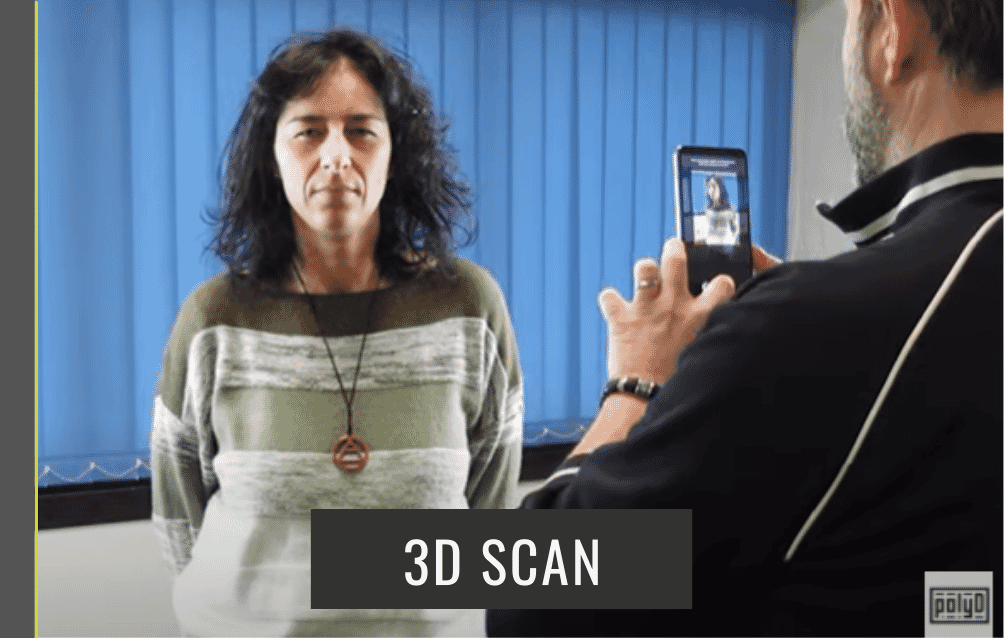
- Movement Speed: Move slowly and steadily. Avoid jerky motions or spinning in place. Think of it like painting the room with a brush; you need to ensure every corner is "covered."
- The Transparency Trap: LiDAR struggles with glass, mirrors, and highly reflective surfaces (like chrome). The laser passes through glass or bounces off mirrors, creating "phantom rooms" or holes in your mesh. Cover mirrors or use "Window/Door" tools within the apps to manually define these areas.
- Pathing: Start at the entrance and move in a consistent circle around the room, finishing back where you started to help the software "close the loop" and minimize drift.
FAQs
Can I use these apps on a standard iPhone 15 or 16?
No. Standard (non-Pro) iPhone models lack the dedicated LiDAR hardware. While some apps offer a "Photogrammetry" mode that uses standard photos to build 3D models, the process is significantly slower, less accurate for measurements, and lacks the real-time feedback of the Pro models.
Is the data stored on my phone or in the cloud?
It depends on the app. Scaniverse emphasizes on-device processing, which is excellent for privacy. Polycam and Scanbrix offer cloud processing for more complex "as-built" conversions and CAD-ready files. Always check the app’s privacy settings if you are scanning sensitive or private locations.
How do I convert a scan to a 3D print?
Most of these apps allow you to export as an .STL file. Once exported, you can bring the file into "slicer" software (like Cura or PrusaSlicer) to prepare it for a 3D printer. Note that scans of large rooms usually need to be scaled down significantly and may require "thickening" of the walls to be printable.
The Bottom Line
As we look toward the remainder of 2026, the iPhone has transitioned from a communication device to a sophisticated spatial data collector. Whether you are a traveler looking to preserve a digital memory of a Tuscan villa, or a contractor needing to verify site dimensions, the LiDAR apps mentioned above provide a professional-grade solution at zero initial cost. The barrier to entry for 3D modeling has vanished—all that remains is for you to start scanning.
Ready to digitize your world? Start by downloading Polycam or Scaniverse from the App Store today and see your environment in a whole new dimension.