Quick Facts
- Top Priority: Voice matching the L/C/R channels ensures seamless soundstage transitions.
- Cabling Standard: 48Gbps Ultra High Speed HDMI is required for lossless Dolby Atmos.
- Placement Rule: Main drivers should be positioned at ear level, roughly 3.9 feet from the floor.
- Dialogue Stat: The center channel carries approximately 80% of movie audio and requires the highest quality.
- Crossover Standard: 80Hz remains the universal baseline for small to mid-sized speakers.
- Bass Warning: Corner placement increases bass response by up to 16 times, causing muddy audio.
Planning a diy home theater setup? To achieve professional-grade audio fidelity, avoid mixing different speaker brands or sizes, especially across the front channels. Use voice-matched speakers with consistent driver materials to ensure a seamless soundstage. Additionally, use calibration microphones provided by your receiver to set levels based on room acoustics, but remember to rebalance all channels if you manually boost a specific speaker like the center channel for dialogue clarity.
Mistake 1: The 'Frankenstein' Front Stage
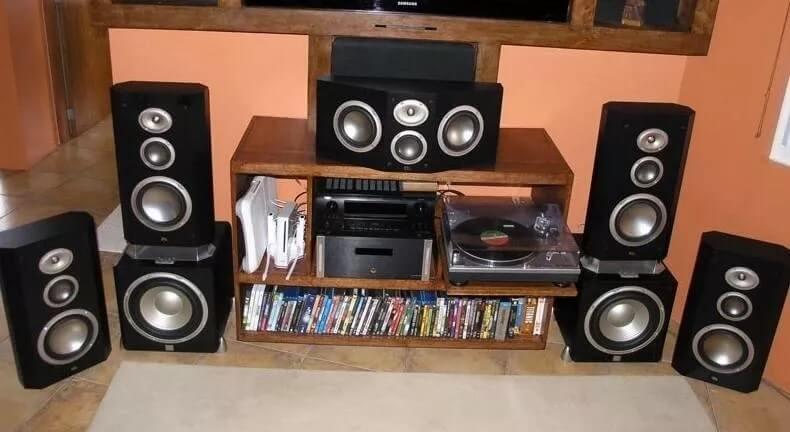
One of the most frequent errors I see in home theater setup projects is the "pantry" approach to speakers—grabbing whatever is on sale or repurposing old bookshelf units for different channels. While your surrounds can occasionally be a different brand without catastrophic consequences, your front three speakers (Left, Center, Right) represent the soul of your system. When you mix different brands or even different series from the same manufacturer, you lose driver timbre consistency.
Every speaker has a unique sonic signature based on its cabinet construction, crossover electronics, and driver materials. If your left speaker uses a silk-dome tweeter while your center channel uses a metal-aluminum dome, a car driving across the screen will sound like a soft luxury sedan on the left and a piercing race car in the middle. This breaks the illusion of reality. Achieving the best home theater setup requires voice matching across the front stage. This means using speakers from the same product line so that they share identical tweeter and mid-range components.
Dialogue clarity is the most critical element of any film, and since the center channel handles about 80% of a soundtrack's primary audio content, it is not the place to compromise. If you are building a home theater setup on a budget, I always recommend spending the bulk of your funds on a high-quality center channel and matching left/right towers or bookshelves. A coherent front soundstage imaging profile is what separates a professional screening room from a mere collection of speakers.
Mistake 2: Ignoring Acoustic Physics in Placement
Even the most expensive speakers will sound mediocre if you fight the laws of physics. Many enthusiasts attempt a home theater living room setup by tucking speakers into bookshelves or, worse, shoving them deep into corners. This is a mistake. Placing a speaker in a room corner can increase its bass response by up to 16 times, which often results in a significantly unbalanced audio profile that sounds "boomy" or muddy.
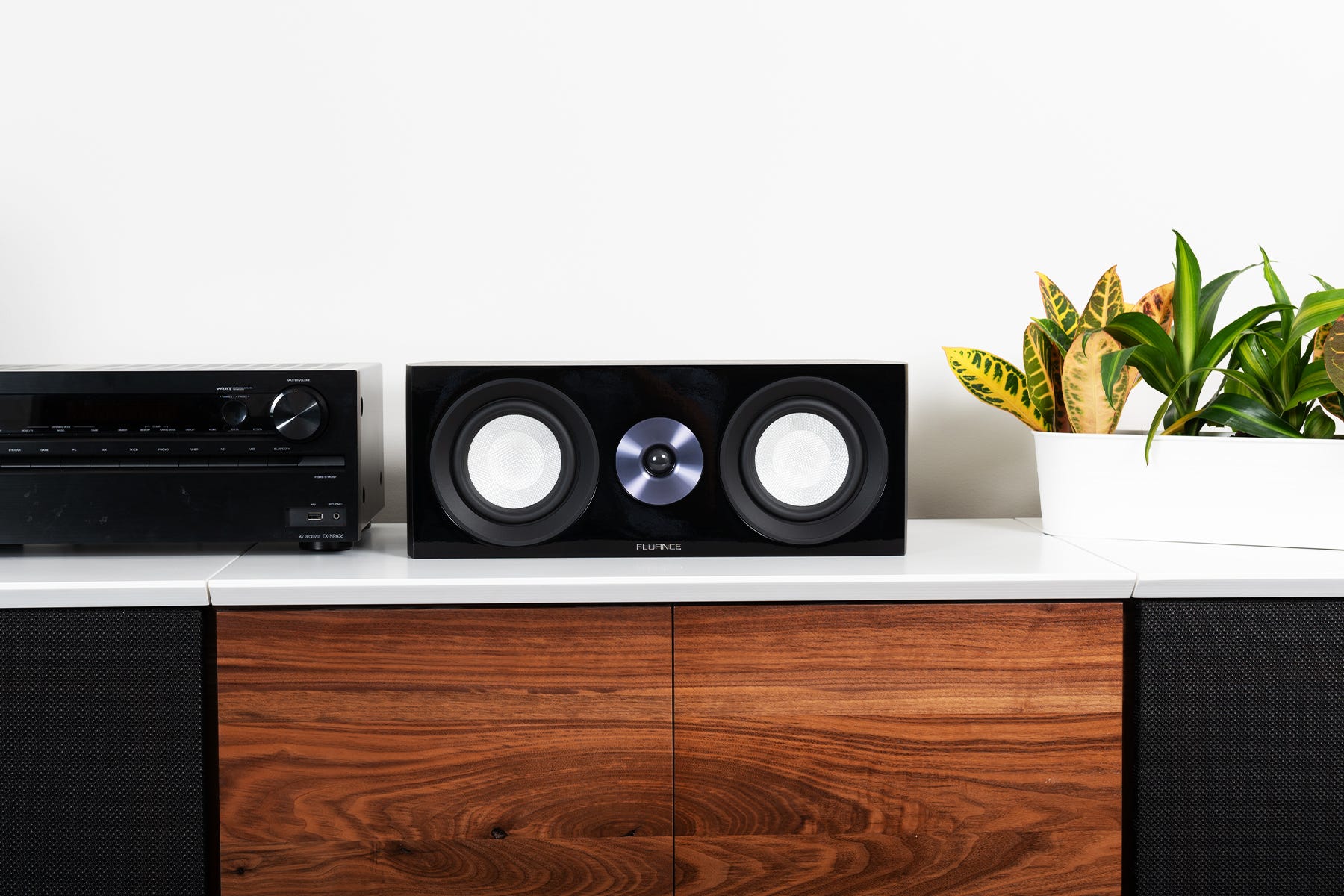
A proper diy home theater setup requires a basic understanding of room boundaries. To ensure the most natural sound, speakers need room to breathe. The tweeter should be at the listener's ear level. According to industry standards, Dolby recommends that main speakers in a surround sound system be positioned at ear level, which is typically approximately 3.9 feet from the floor for a seated listener.
If your home theater speaker setup involves a 5.1 layout, your surround speakers should not be behind you. Instead, they should be angled at 90 to 110 degrees to your sides. For bass management, avoid the temptation to hide the subwoofer inside a cabinet. Use the subwoofer crawl—a technique where you place the sub in your seating position and crawl around the floor to find where the bass sounds tightest—to find the optimal spot. Incorporating basic acoustic treatment, like a heavy rug on a hardwood floor or curtains over windows, will further refine the audio fidelity by reducing unwanted reflections.
Mistake 3: Bottlenecking with Outdated Cabling
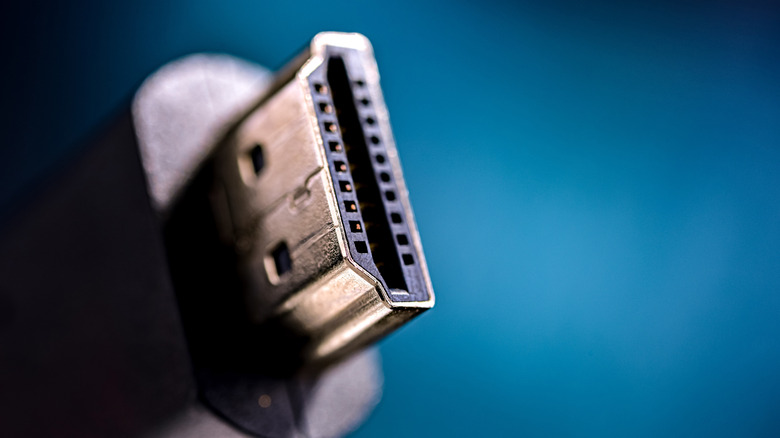
It breaks my heart to see a five-thousand-dollar home theater setup crippled by a ten-dollar cable from 2015. Modern soundtracks and visuals are massive data streams. If you are attempting a home theater dolby atmos setup, you cannot rely on standard HDMI cables. To process uncompressed spatial audio and 4K video at high refresh rates, you need Ultra High Speed HDMI cables rated for 48Gbps.
Common home theater setup mistakes often involve using cables that lack the necessary bandwidth, leading to signal dropouts, black screens, or the receiver downmixing your audio to a lower quality. The table below outlines the current requirements for modern systems:
| HDMI Version | Max Bandwidth | Supported Audio Features |
|---|---|---|
| HDMI 1.4 | 10.2 Gbps | 5.1 Surround, ARC |
| HDMI 2.0 | 18.0 Gbps | 7.1 Surround, basic HDR |
| HDMI 2.1 (Ultra) | 48.0 Gbps | Dolby Atmos, DTS:X, eARC, 8K/60Hz |
Distance also plays a major role in signal interference. If your projector or TV is more than 25 feet away from your receiver, standard copper cables will likely fail to maintain 48Gbps speeds. In these scenarios, I recommend fiber optic HDMI cables. Unlike copper, fiber optic translates the signal into light, allowing for long-distance runs without signal degradation or electromagnetic interference.
Mistake 4: Relying on 'Fake' Upmixing and Auto-Settings
The surge in popularity for immersive audio is undeniable. According to the Consumer Technology Association, more than 1.2 million home entertainment systems were equipped with immersive 3D surround sound processors in 2023. However, owning the hardware is only half the battle. Many users believe that once they run the room correction software—like Audyssey, Dirac Live, or YPAO—their job is done.
The software is a great starting point, but it isn't infallible. You must manually verify your crossover settings. Often, these auto-programs will set small speakers to "Large," which forces them to try and produce deep bass they aren't physically capable of handling. A universal home theater audio calibration guide secret is to set all speakers to "Small" and use a 80Hz crossover. This sends the heavy lifting of the bass to your dedicated subwoofer, freeing up your main speakers to focus on the mid-range and high frequencies.
Another pitfall is using "All Channel Stereo" or "Extended Stereo" modes. While this makes every speaker make noise, it isn't surround sound; it's just the same two channels played repeatedly, which ruins the audio fidelity and spatial intent of the director. When learning how to setup a home theater system properly, always check your receiver display to ensure it says "Dolby Atmos" or "DTS:X" rather than a generic upmixing label. If the source material is older, use a high-quality upmixer like "Dolby Surround" rather than a DSP mode that adds artificial echo or stadium effects.
FAQ
Where should speakers be placed in a home theater?
Ideally, the front three speakers should be at ear level for a seated listener, with the center channel directly above or below the screen. Surrounds should be slightly above ear height and positioned to the sides (90-110 degrees) rather than far behind you in a standard 5.1 layout.
Do I need an AV receiver for my home theater?
Yes, if you want lossless audio and proper channel separation. While some soundbars are excellent, an AV receiver acts as the brain of the system, processing surround formats like Dolby Atmos and providing discrete power to each individual speaker for a true cinematic experience.
How can I improve the acoustics in my home theater room?
Start with the basics of acoustic treatment: use soft materials like rugs, curtains, or acoustic panels to absorb sound reflections. Avoid placing speakers directly against walls or in corners, and use your receiver's room correction software to digitally compensate for room-specific resonance.
What is the difference between 5.1 and 7.1 surround sound?
A 5.1 system consists of five speakers (Front Left, Front Right, Center, and two side surrounds) and one subwoofer. A 7.1 system adds two additional rear surround speakers to create a deeper sense of space and more precise sound tracking behind the listener.
Is it hard to set up a home theater system by yourself?
Modern receivers have made a diy home theater setup much more accessible through guided on-screen menus and calibration microphones. The physical labor of running wires and mounting speakers is the most difficult part, but with a bit of patience and high-speed cabling, most enthusiasts can achieve great results.
Your home theater is only as strong as its weakest link. For 2026, I challenge you to audit your system: check those cable ratings, pull your speakers a few inches away from the wall, and re-run your calibration software. The difference in clarity will be immediately audible.