For years, the "midday charging ritual" has been the unspoken tax of the Apple Watch experience. Frequent travelers and high-performance professionals know the scenario well: you land after a long-haul flight, your digital boarding pass is locked behind a 10% battery warning, and the prospect of sleep tracking feels like a distant luxury. With the debut of the Apple Watch Series 11, the narrative has shifted.
The most significant evolution in this generation isn't just the refined chassis or the S11 chip; it is the fundamental restructuring of the power envelope. The Apple Watch Series 11 battery life has improved by approximately 33% over the previous generation, moving from the long-standing 18-hour limit to a true 24-hour endurance cycle. This total usage metric is calculated based on 18 hours of active use paired with 6 hours of dedicated sleep tracking. For the first time, the "all-day" promise actually covers the full rotation of the clock.
The 15-Minute Power Hack: Real-World Utility
In the fast-paced world of international travel and back-to-back scheduling, the ability to "top off" a device is more valuable than its total capacity. The Series 11 excels here through a refined fast-charging architecture. A quick 15-minute charge now provides between 8 to 12 hours of battery life—more than enough to carry a user through a standard workday or a cross-country flight.
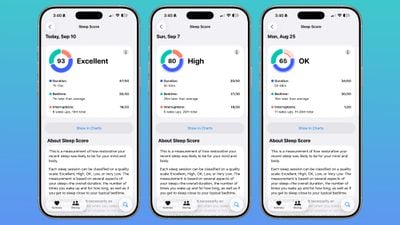
This "15-minute hack" is a game-changer for those who use their watch for sleep hygiene. Previously, if you forgot to charge before bed, you either missed your sleep data or risked the watch dying mid-morning. Now, the math is simple: a 5-minute charge provides enough juice for 8 hours of comprehensive sleep tracking, including respiratory rate and heart rate variability monitoring.
To maximize your charging windows, consider these data-backed intervals:
- 5 Minutes: Best for 8 hours of sleep tracking or a quick 30-minute outdoor run with GPS.
- 15 Minutes: Ideal for a "half-day" boost (8-12 hours), perfect for the gap between the office and a formal dinner.
- 30 Minutes: The "Power Half-Hour" that takes the Series 11 from 0% to 80%, providing nearly 20 hours of usage.
Technical Setup: Achieving Maximum Velocity
It is a common misconception that any USB-C brick will yield these results. To achieve the 0% to 80% in 30 minutes benchmark, the hardware ecosystem must be precise. The Series 11 requires a compatible 18W or greater USB-C Power Adapter paired with the Apple Watch Magnetic Fast Charger USB-C Cable (identifiable by the aluminum housing around the magnetic puck).
From an engineering perspective, the S11 SiP (System in Package) manages thermal throttling more aggressively than its predecessors. While the watch can pull significant power, it will slow down if the casing becomes too warm—a common issue when charging in direct sunlight or inside a parked car. For the most consistent fast-charging speeds, I recommend charging in a climate-controlled environment.
Travelers should also note the impact of 5G connectivity. While the Series 11 offers robust cellular performance, maintaining a 5G signal in areas of poor coverage can increase battery drain by up to 15%. When charging via a portable power bank, ensure the output supports Power Delivery (PD) to maintain the fast-charging handshake; otherwise, you may revert to standard charging speeds, which can take up to 90 minutes for a full cycle.
Advanced Battery Optimization Tips
Beyond the hardware, the watchOS ecosystem offers several levers to pull for those who need to push the 24-hour boundary. The new LTPO3 display is a masterclass in efficiency, capable of dropping to a 1Hz refresh rate and a minimum brightness of just 1 nit. This allows the "Always-On" feature to remain active with a significantly lower power draw than the Series 9 or 10.
However, if you are heading into a situation where charging is unavailable—such as a weekend hiking trip—Low Power Mode is your primary tool. On the Series 11, Low Power Mode extends battery endurance to 38 hours by disabling the Always-On display and limiting background sensor readings (like blood oxygen and heart rate alerts) without sacrificing the core fitness tracking capabilities.
To further optimize daily performance, consider the following:
- Optimized Battery Charging: This feature learns your daily routine and waits to finish charging past 80% until you need it, significantly reducing the chemical aging of the lithium-ion cell.
- Background App Refresh: Cull your list of active apps. Many third-party travel apps ping GPS unnecessarily in the background.
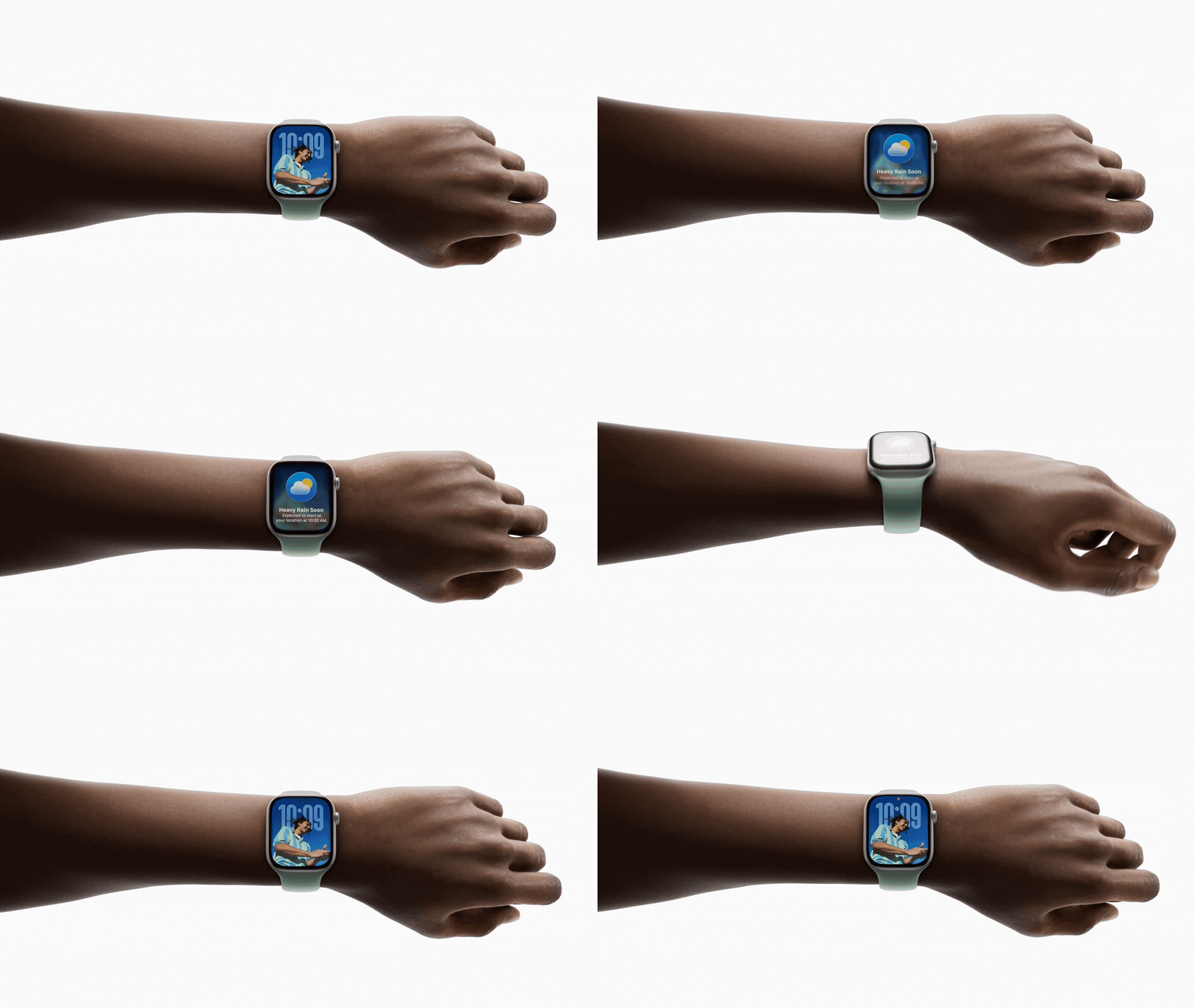
- Wrist Flick Sensitivity: Use the gesture-based navigation of watchOS to check notifications briefly, which consumes less power than full-screen interactions.
Comparison: Series 11 vs. Apple Watch Ultra 3
The decision between the Series 11 and the Ultra 3 often comes down to a trade-off between charging speed and total endurance. While the Series 11 is the faster "recharger," the Ultra 3 is the undisputed endurance king. For those who prioritize "charging forgetfulness," the Ultra 3 provides a massive safety net, though it lacks the slim profile that many professional travelers prefer for formal attire.
| Feature | Apple Watch Series 11 | Apple Watch Ultra 3 |
|---|---|---|
| Standard Battery Life | 24 Hours | 36 Hours |
| Low Power Mode | 38 Hours | 42+ Hours |
| 0% to 80% Charge Time | 30 Minutes | 45 Minutes |
| 15-Min Charge Gain | 8-12 Hours | 5-6 Hours |
| Weight (Aluminum/Titanium) | ~30-36g | 61.4g |
The Series 11 hits 80% capacity 15 minutes faster than the Ultra 3. This makes the Series 11 the superior choice for the "urban athlete" or the corporate traveler who has frequent but short access to power outlets. Conversely, the Ultra 3 is designed for environments where power is a luxury of the past.

Troubleshooting Common Charging Issues
If you find your Series 11 isn't hitting the 80% in 30 minutes mark, the culprit is usually the power source. Many "integrated" USB ports in hotels or airplane seats output a meager 5W, which is insufficient for fast charging. Always carry a dedicated 20W USB-C brick in your carry-on to ensure you aren't throttled by weak infrastructure.
Another common interference is the temperature sensor. If the watch has been used for an intensive workout or left in a hot environment, it may pause charging at 80% to protect the battery’s health. If you see a "Charging Paused" notification, simply move the watch to a cooler surface. Furthermore, ensure the magnetic back of the watch and the charger itself are clean; even a thin layer of skin oil or dust can introduce resistance, slowing the induction process.
FAQ
Q: Can I use my old Apple Watch charging cables with the Series 11?
A: Yes, legacy cables will charge the Series 11, but they do not support fast charging. You will likely see a full charge take 90 to 120 minutes rather than the 30-minute 80% jump.
Q: Does using a higher wattage charger (like a 60W MacBook brick) charge the watch even faster?
A: No. The Series 11 will negotiate the maximum power it can safely handle (around 18W-20W). Using a more powerful brick is safe, but it won't exceed the 30-minute/80% benchmark.
Q: How does the Always-On display affect the 15-minute charge utility?
A: If you rely on a 15-minute quick charge to get through the day, turning off the Always-On display can stretch that "8-12 hour" boost by an additional 2-3 hours.
Conclusion: The New Standard for Efficiency
The Apple Watch Series 11 marks the end of battery anxiety for the average user. By focusing on the speed of recovery rather than just the size of the tank, Apple has created a device that fits seamlessly into the gaps of a busy lifestyle. Whether it’s a 15-minute boost before a flight or a 5-minute top-off before bed, the Series 11 ensures that your data stream remains uninterrupted. For the modern traveler, this isn't just a spec upgrade—it's a reclamation of time.