Quick Facts
- Productivity Boost: 84% of respondents feel more productive in an organized workspace, believing it could improve output by 38%.
- The Mess Factor: Physical cord clutter leads to an average loss of 15 minutes per day, totaling over 60 hours of lost productivity annually.
- Device Density: The average person in North America now manages 13 connected devices, making smart cable routing essential.
- Material Matters: Use pure magnetic clips for a steel desk frame and weighted or adhesive-backed holders for wood or glass surfaces.
- Sit-Stand Best Practice: Magnetic cable management is the superior choice for a height-adjustable desk because it allows cables to move and shift during elevation.
- Entry Cost: Quality magnetic cable management solutions typically start around $30 for a reliable starter kit.
Magnetic cable management is a modular system involving clips, channels, and bases that use Neodymium magnets or weighted non-slip materials to secure and route wiring. It serves as an ideal solution for workstation ergonomics because it eliminates cord clutter while offering the flexibility needed for a sit-stand desk. By implementing a magnetic cable management kit, users can achieve professional-grade vertical routing that prevents cable damage and maintains a clean, minimalist workspace.
The Psychology of the Organized Desk: More Than Just Aesthetics
As a PC editor, I spend more time than I’d like to admit looking at the backs of computers. Whether it is a high-end gaming rig or a professional workstation, the common denominator for a failed setup is almost always the wiring. While many dismiss cable management as a purely aesthetic pursuit, the data suggests otherwise. According to recent research, workplace clutter causes a loss of 15 minutes per day for the average office worker. When you do the math, that is 60 hours of your life every year spent untangling a USB-C cable or searching for a dropped phone charger behind the cabinet.
This friction creates a mental load that saps focus. When your eyes land on a tangled nest of power cords, your brain registers it as an unfinished task. A minimalist workspace isn't just about looking like a tech influencer; it’s about reducing that cognitive load so you can focus on the screen. With North Americans now averaging 13 connected devices per person, the old "zip tie and pray" method no longer scales. We need dynamic systems that can handle the constant swapping of peripherals and mobile devices.
Steel vs. Wood: Choosing Your Management Hardware
Before you buy any magnetic cable management clips, you must identify your desk's construction material. This is where many builders go wrong. Magnets, obviously, require a ferrous surface to stick. If you have a high-end standing desk from brands like Fully or UPLIFT, you likely have a robust steel desk frame hidden under the desktop.
For these users, the magnetic cable management no adhesive approach is the holy grail. You can snap a magnetic cable management kit directly onto the legs or the support beams. However, if you are working with a solid wood, MDF, or glass surface, you will need to rely on "magnetic-adjacent" hardware. This usually involves a weighted cable holder for desk surfaces or an adhesive-backed magnetic strip that provides the ferrous base for the clips to latch onto.
| Feature | Steel Desk Frame | Wood / MDF / Glass |
|---|---|---|
| Primary Attachment | Pure magnetic (no residue) | Adhesive or weighted base |
| Flexibility | High; move clips at will | Moderate; depends on adhesive |
| Strength | Dependent on Neodymium magnets | Dependent on adhesive bond/weight |
| Best Application | Vertical routing down legs | Desktop connector anchoring |
The secret to a secure hold is the use of Neodymium magnets. These are much stronger than the ceramic magnets found on your refrigerator. A high-quality clip can typically support up to 320g of weight, which is more than enough for a heavy-duty DisplayPort cable or a braided power cord. For glass or premium wood where you want to avoid sticky residues, a non-slip base on a weighted holder is the safest bet.
Tiered Solutions: From Basic Desktop Fixes to the Ultimate Kit
Not everyone needs a full industrial-grade cable overhaul. I categorize these solutions into three tiers based on the complexity of your PC setup.
Basic: The Desktop Anchor
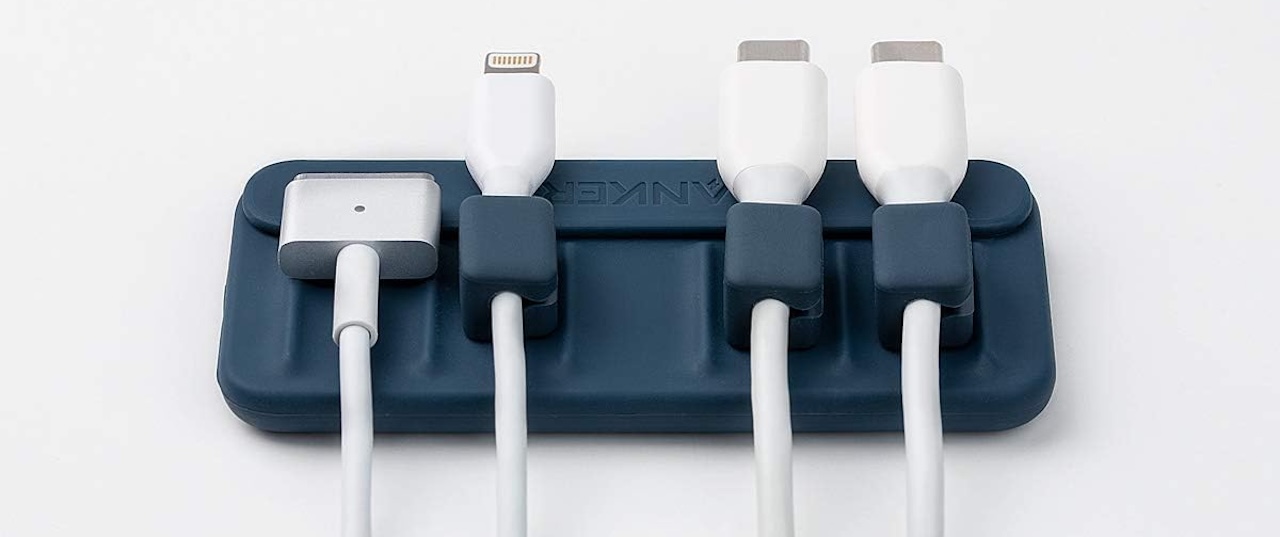
If your primary frustration is cables sliding off the back of the desk when you unplug your laptop, you need a weighted cable holder for desk use.
- The Weighted Approach: Products like the Smartish Cable Wrangler use a heavy base with a magnetic surface to catch cables that have a metal connector or a small magnetic collar attached.
- The Adhesive Approach: In the Anker magnetic cable holder vs Smartish debate, Anker offers a slimmer, adhesive-backed bar. This is perfect for the edge of a desk but is less portable than a weighted base.
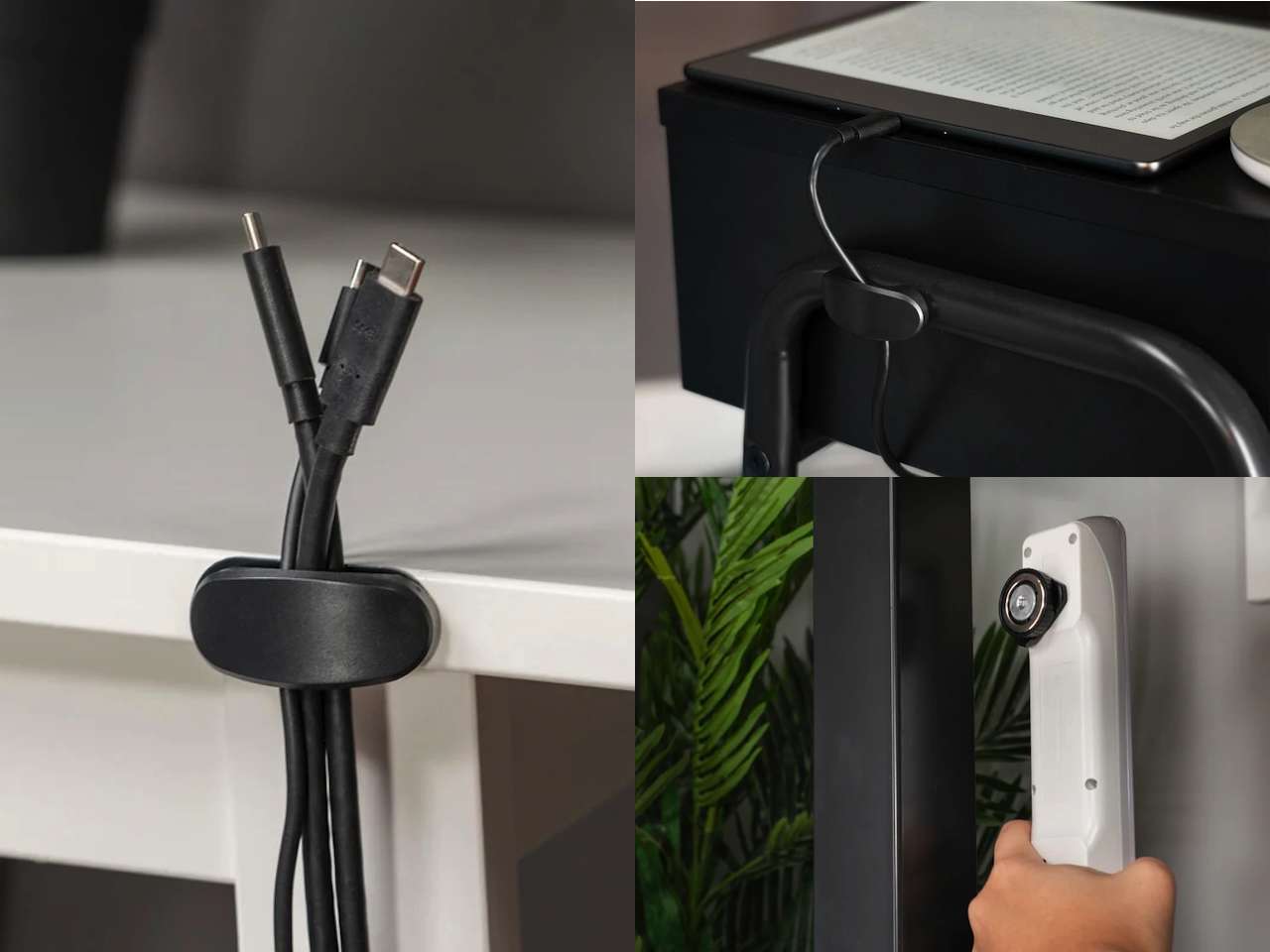
- The magnetic cable management puck: These are small, individual units perfect for a nightstand or a minimalist desk where you only need to manage one or two high-use cables.
Advanced: The Perimeter Route
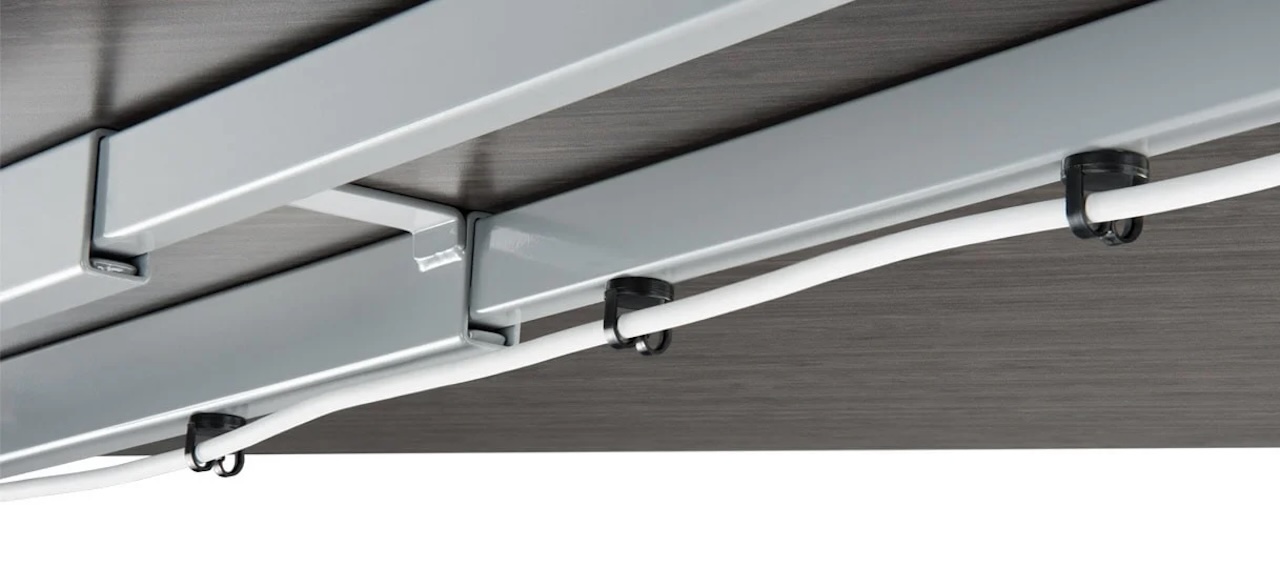
Once you have the desktop under control, it’s time to look at the perimeter. This involves using magnetic cable management clips to run wires along the underside of the desk or along the frame. This keeps the cables out of sight but easily accessible if you need to replace a peripheral. Many kits come with reusable adhesive pads for the clips if you aren't working with a metal frame, which is essential for maintaining flexibility without permanent damage.
Ultimate: Total Concealment
For power users with triple-monitor setups, a magnetic cable management channel is the only way to go. These are long, U-shaped troughs that snap onto the frame and can house entire power strips and the "bricks" associated with large monitors. This is where you achieve that "floating desk" look where not a single wire is visible from a standing position.
The Sit-Stand Challenge: Cable Snag Prevention
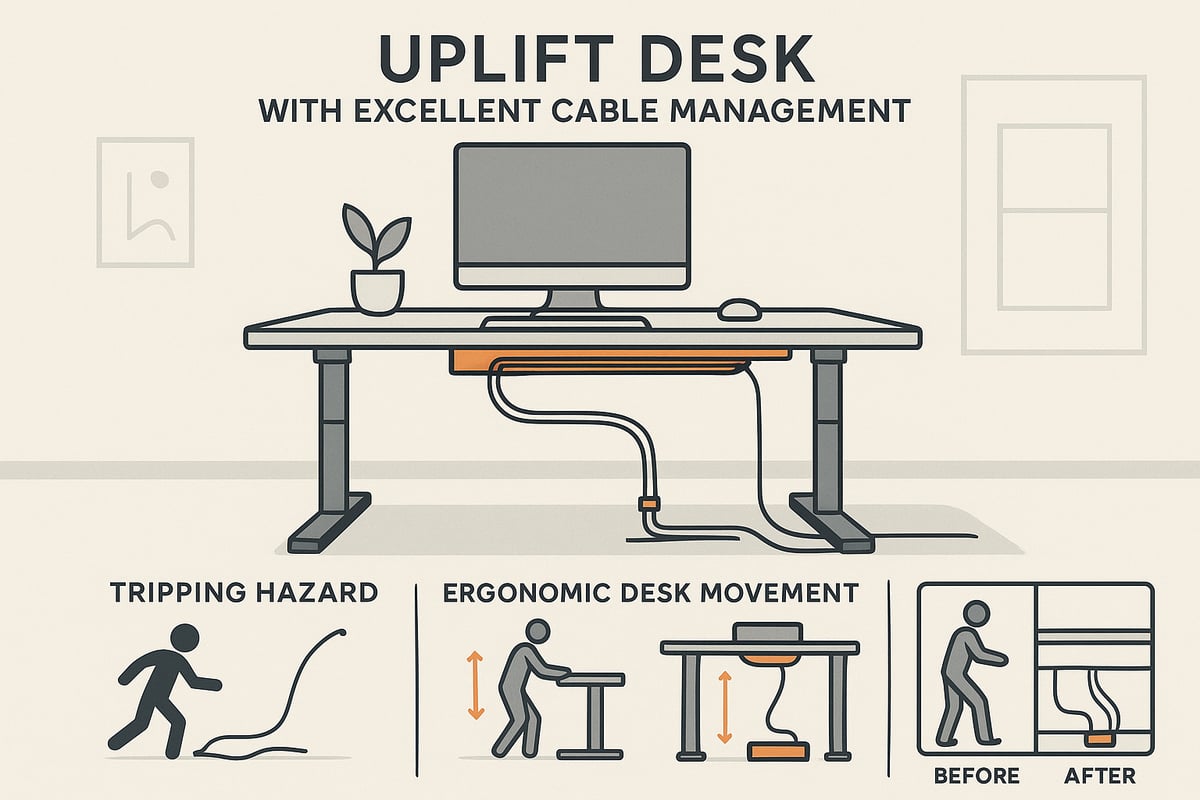
The rise of the sit-stand desk has made cable management significantly more difficult. When a desk moves from 27 inches to 45 inches in height, your cables must move with it. If you use rigid zip ties or fixed plastic raceways, you risk a cable snag prevention failure where a wire is pulled too tight, potentially damaging the port on your expensive motherboard or monitor.
Magnetic routing is the superior choice for a height-adjustable desk because it allows for "give." If a cable reaches its tension limit, the magnetic clip will simply pop off the frame rather than snapping the internal copper of the wire.
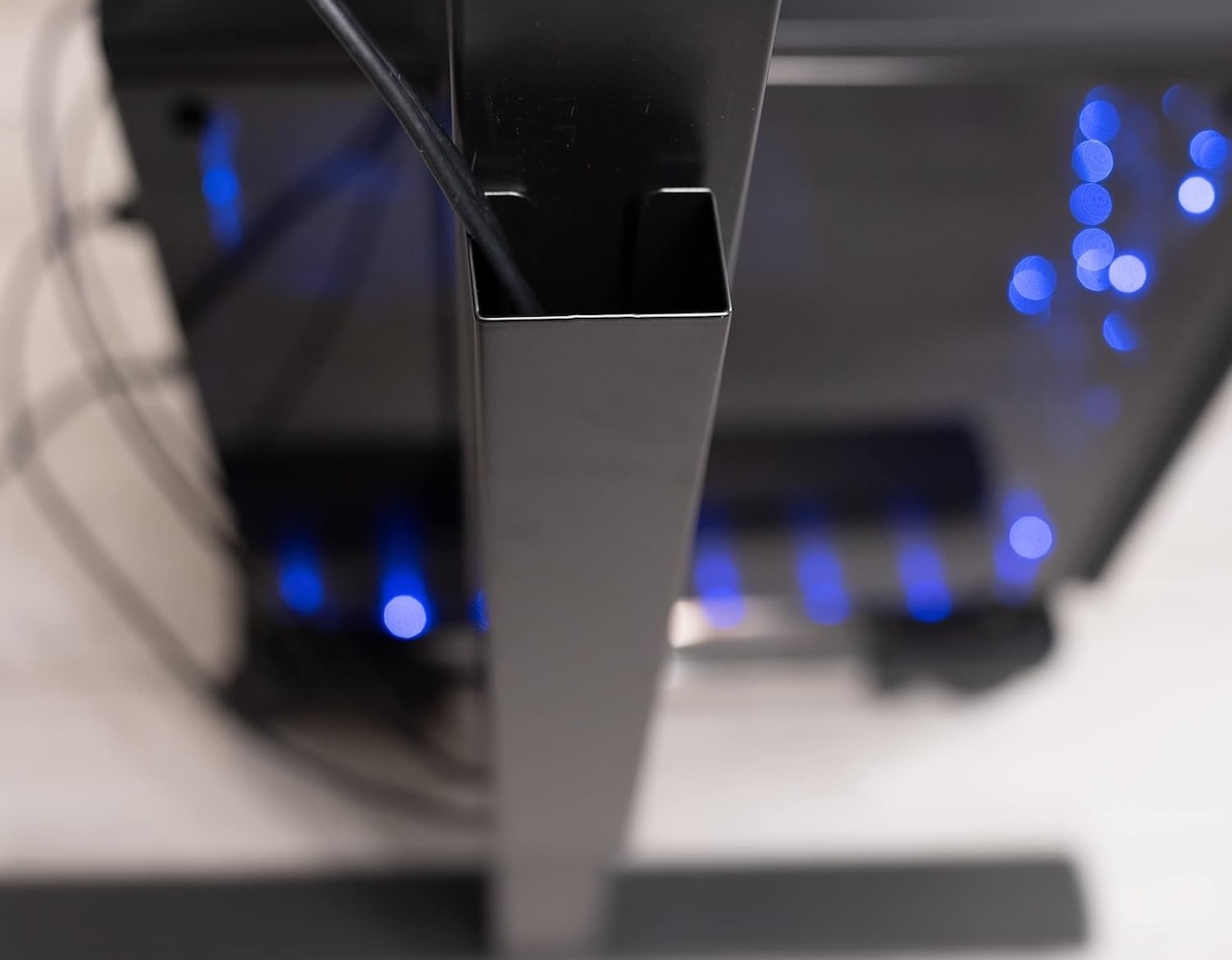
For vertical routing, I recommend running the "trunk" of your cables down one of the desk legs. By using a series of magnetic cable management clips spaced about six inches apart, you can create a clean line that stays tucked against the steel leg. If you have a particularly heavy bundle of cables, you might look for an ltt magnetic cable management alternative. While the LTT (Linus Tech Tips) system popularized the high-strength magnetic cable ecosystem, there are now several modular kits on the market that offer similar "block" designs for managing complex PC hardware.
Always remember to leave a "service loop"—an extra bit of slack—near the floor. This ensures that when the desk reaches its maximum height, there is still enough length for the power strip to remain safely on the ground without being yanked.
FAQ
What is magnetic cable management?
It is an organization system that utilizes magnets to secure and route electrical cords. Unlike traditional zip ties or plastic clips, these systems allow for easy repositioning and are often used on metal furniture or with adhesive-backed metal plates.
How does a magnetic cable work?
A magnetic cable system usually involves two parts: a magnetic base or clip and the cable itself. Since most cable jackets are rubber or plastic, a small magnetic collar is often snapped around the wire, allowing it to "stick" to a magnetic bar or a steel desk frame.
What is the best way to do cable management?
The best approach is to start from the power source and work toward the device. Group cables together using sleeves or channels, then use magnetic clips to route the bundle along the desk frame. Always ensure there is enough slack for movement, especially with adjustable furniture.
Are magnetic charging cables worth buying?
Magnetic charging cables—where the tip stays in your phone and the cord snaps on—are convenient for preventing port wear and tear. However, for desk organization, we usually focus on magnetic holders that keep your standard cables from falling, which are generally more reliable for high-speed data transfer.
What is the best thing for cable management?
For most people, a combination of a magnetic cable management kit and a weighted cable holder for desk use provides the best balance of organization and accessibility. The "best" tool ultimately depends on whether your desk is made of steel, wood, or glass.
Final Word from Ryan
If you are feeling overwhelmed by the mess under your desk, don't try to fix it all in one afternoon. Start with the desktop connectors—the ones you touch every day. Get a solid magnetic cable management puck or a weighted holder to keep your phone and laptop chargers in place. Once you feel the relief of not crawling under your desk to find a dropped cable, you'll have the motivation to tackle the vertical routing and power strips.
Cable management is an ongoing process. As you add more gear to your 13-device average, your needs will change. Modular, magnetic systems are the only hardware that can grow with your setup without leaving you with a sticky, permanent mess. Perform a quick audit of your wires every few months, and your productivity—and your sanity—will thank you.