CES is not a trade show; it is an endurance sport. Every January, the Las Vegas Convention Center (LVCC) transforms into a grueling 2.5-million-square-foot testing ground where the primary victim isn't the competition, but the tech journalist’s lower back. Veteran reporters at CES 2025 will average between 15,000 and 20,000 steps daily. In this environment, every ounce in your bag is a tax on your stamina. After a decade of covering the chaos of the Strip, I’ve learned that the "Ultimate Field Kit" isn't about having the most power; it’s about the highest weight-to-performance ratio. To survive the 12-hour days and the 4:00 AM filing deadlines, your gear needs to be as agile as your storytelling.
1. The Core Mobile Newsroom: Smartphones and AI
The centerpiece of the 2025 kit is no longer just a communication device; it is a broadcast-capable AI workstation. For the modern mobile journalist, the essential gadget is a flagship smartphone that prioritizes AI-driven transcription and multi-modal input. Devices like the Google Pixel 9 Pro Fold or the iPhone 16 Pro Max have become non-negotiable for their ability to handle real-time tasks that previously required a dedicated producer.
The primary shift this year is the integration of AI-integrated recording tools. In previous years, manual note-taking and transcribing recorded interviews were the bottleneck of trade show reporting. By utilizing on-device AI transcription, we’ve seen article turnaround times drop by an estimated 45%. You can now conduct an interview at the Venetian, have a polished transcript by the time you reach the Monorail, and file a story before the next keynote begins.
Minimum Smartphone Requirements for CES 2025:
- Optics: Triple-lens system with at least a 12MP telephoto for capturing distant keynote slides.
- Battery: 4,000mAh minimum; ideally paired with a MagSafe or Qi2-compatible back for quick charging.
- Storage: 256GB minimum (4K 60fps video eats 128GB units for breakfast).
- AI Capability: On-device NPU for real-time transcription and noise cancellation.
2. The Lightweight Powerhouse: Laptops and Portable Displays
If your laptop weighs more than 2.5 lbs, you are carrying unnecessary "dead weight" that will manifest as a dull ache in your shoulders by Day 2. For CES 2025, the "Ultra-Light" category has finally caught up to the performance needs of video editors and heavy multitaskers.
The Lenovo ThinkPad X1 Carbon Gen 13 remains the gold standard for build quality and keyboard tactile feedback—essential for banging out 1,000 words in a crowded press room. However, the Honor MagicBook Art 14 has emerged as a serious contender for those obsessed with thinning down their load without sacrificing screen real estate.
To maintain a "desk-like" productivity flow, I recommend adding a 15.6-inch portable monitor with pass-through charging. Being able to keep your CMS on one screen and your source notes on another is the difference between filing at 6:00 PM and filing at midnight.
| Feature | Lenovo ThinkPad X1 Carbon Gen 13 | Honor MagicBook Art 14 | MacBook Air (M3) |
|---|---|---|---|
| Weight | 2.42 lbs | 2.27 lbs | 2.7 lbs |
| Primary Edge | Durability & Keyboard | Screen-to-body ratio | Battery Life Consistency |
| Ports | 2x USB-C, 2x USB-A, HDMI | 2x USB-C, 1x USB-A, HDMI | 2x USB-C |
| Best For | Hardcore Typing | Visual Multitasking | Video Rendering |
View the ThinkPad X1 Carbon Gen 13 →
3. The All-Day Carry: Professional Tech Backpacks
The most common mistake rookies make at CES is carrying a messenger bag. A single-strap bag creates an uneven load that wreaks havoc on your spine during 12+ hour days. A professional tech backpack between 16L and 25L with ergonomic support is superior in every measurable way.
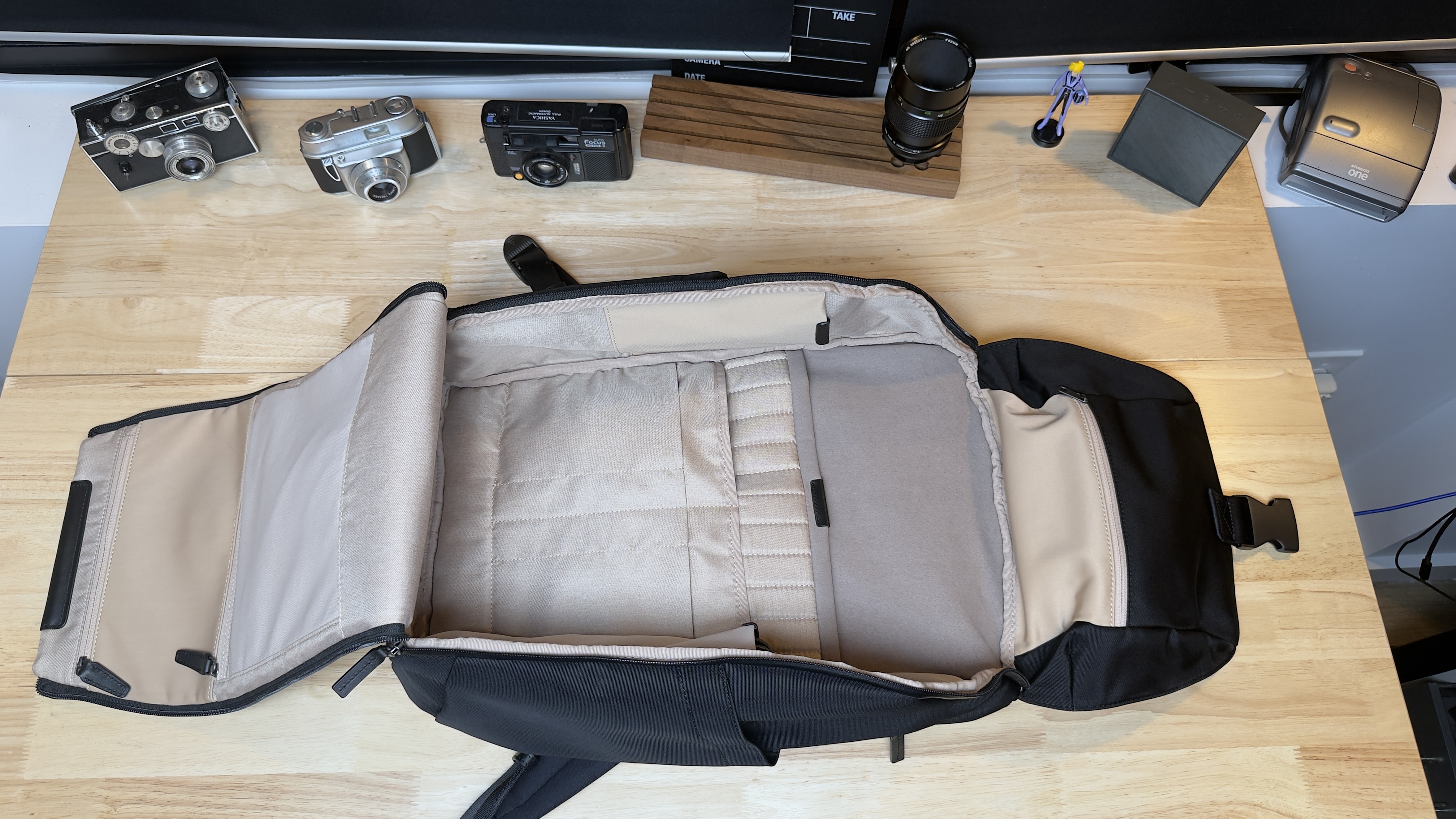
The Stuart & Lau Capstone or the STM Myth are my top recommendations for 2025. You need a bag that offers a "clamshell" opening—this allows you to lay the bag flat and see every cable, battery, and dongle without digging. Furthermore, the ability to slide the bag over a luggage handle is vital for the inevitable dash through Harry Reid International Airport.
Survival Pro-Tip: Always look for a backpack with an external water bottle pocket and a waterproof shell. Las Vegas may be a desert, but spills in the press room are frequent, and hydration is your only defense against the "CES Flu."
4. Capturing the Moment: Mobile Audio and Video Gear
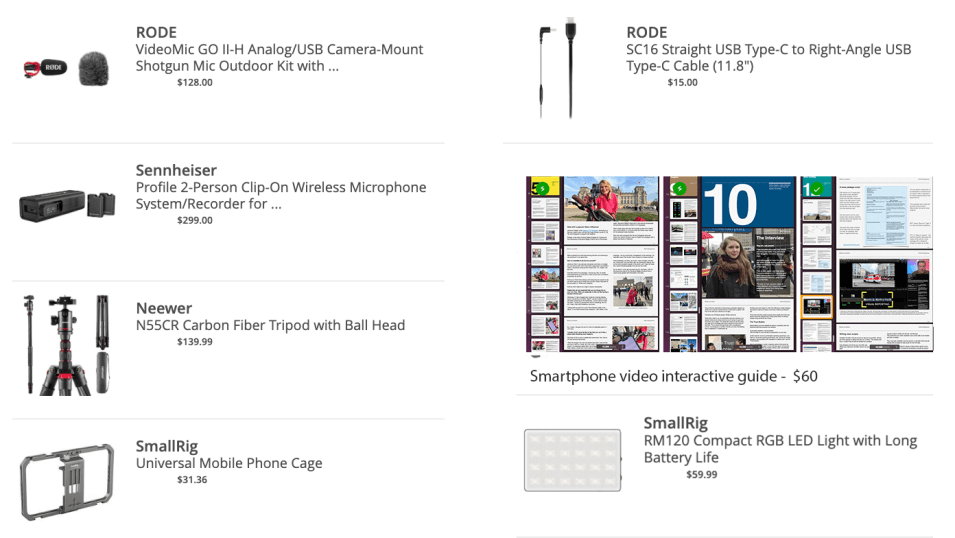
High-quality video is expected, but high-quality audio is mandatory. The show floor of the LVCC is a cacophony of white noise and thousands of competing voices. To get a usable interview, you cannot rely on the built-in microphone of your smartphone.
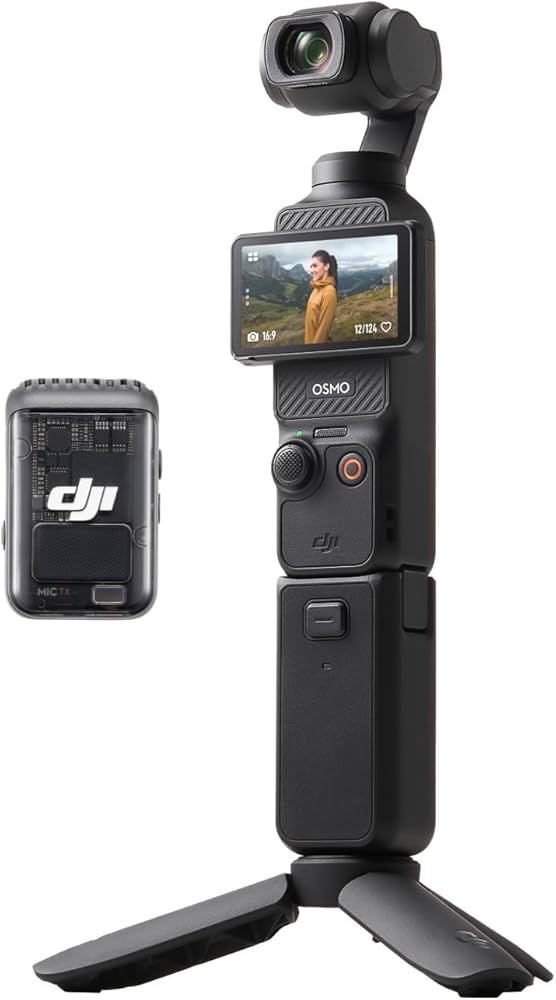
For video, the DJI Osmo Pocket 3 has largely replaced the need for bulky smartphone gimbals. It offers mechanical 3-axis stabilization and a 1-inch sensor that thrives in the notoriously difficult lighting of trade show booths.
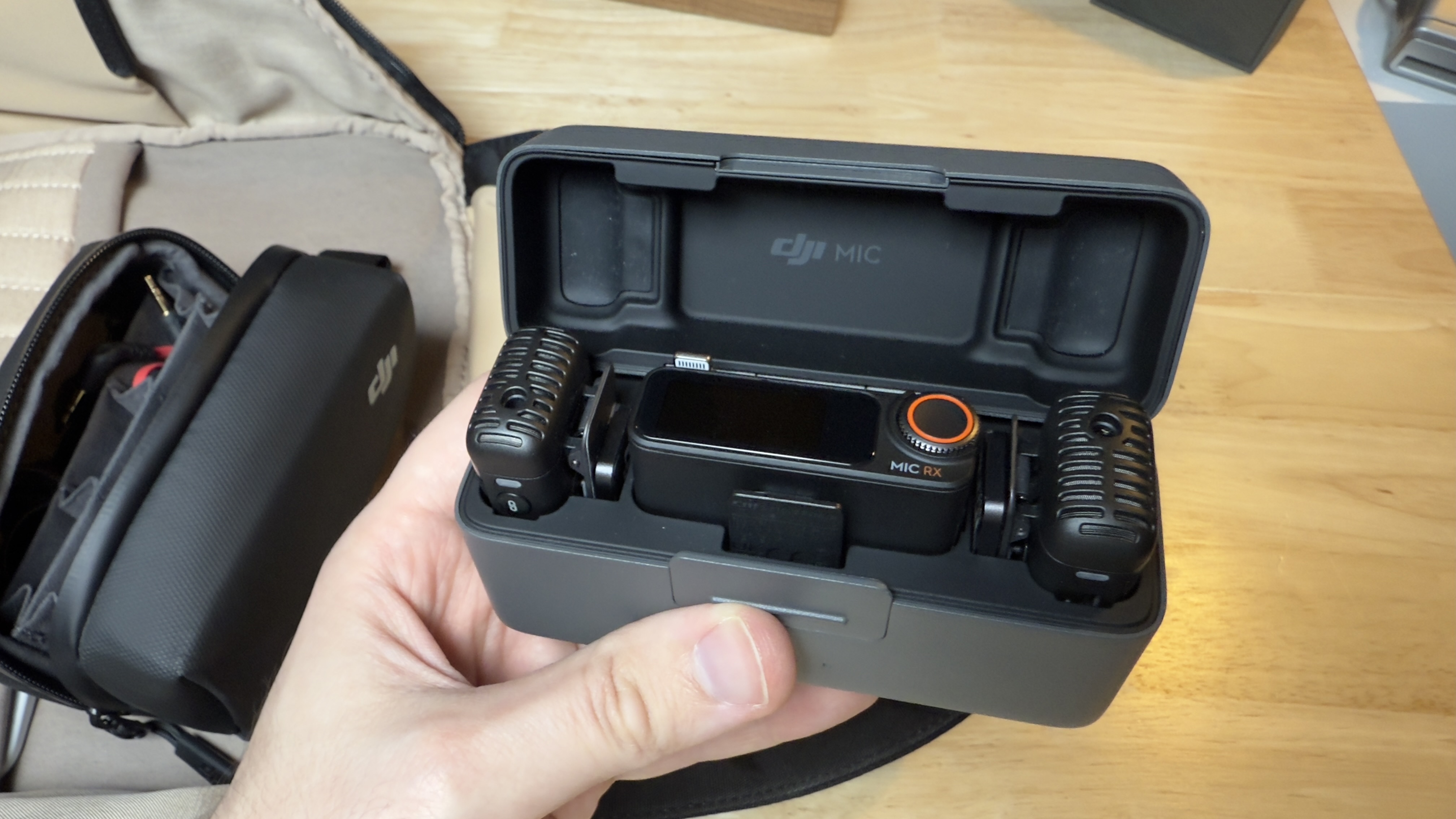
For audio, the DJI Mic 2 system is the current industry benchmark. It features 32-bit float internal recording, which means even if your subject starts shouting over a nearby robot demonstration, the audio won't "clip" or distort.
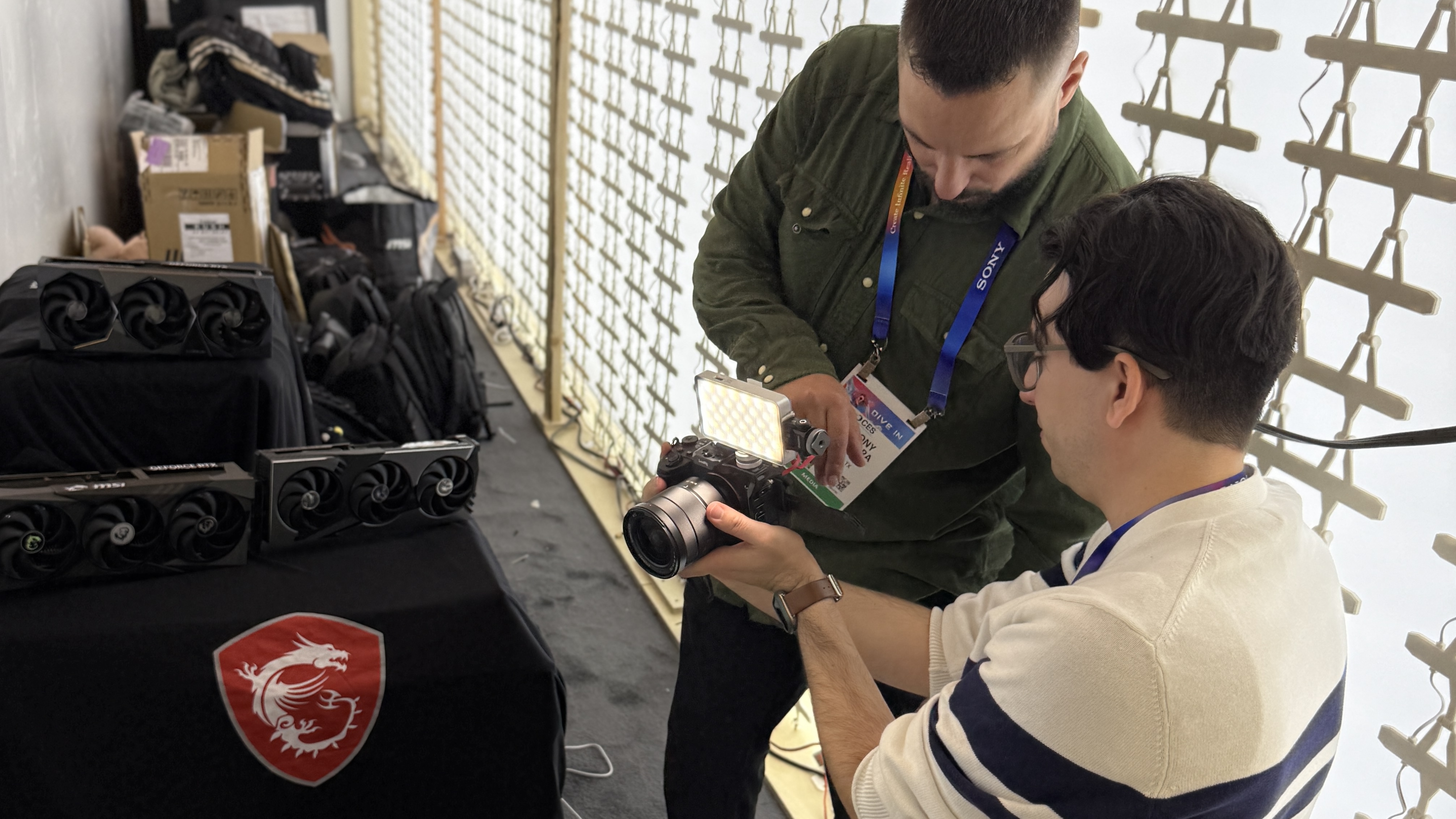
Lastly, do not forget lighting. The Viltrox Retro series of portable RGB lights are small enough to fit in a pocket but powerful enough to fill in the harsh shadows under a subject's eyes. They charge via USB-C PD, meaning they can share the same power bank as your laptop.
5. The Hotel Room Command Center: Staying Productive Off-Floor
Your hotel room is your sanctuary, but it is often poorly designed for ergonomics. To maintain a productive workflow, you must transform that tiny desk into a proper workstation.
The key is a portable laptop stand. Elevating your screen to eye level prevents "tech neck"—the strain caused by looking down at screens for 15 hours straight. Combine this with a folding Bluetooth keyboard (like the iClever IC-BK08) and your portable monitor to create a multi-screen setup that rivals your home office. This setup allows you to keep your primary laptop screen for writing while the secondary monitor displays your Slack or Discord channels, keeping you connected to your editors without breaking your focus.
6. Power and Connectivity: Surviving the Dead Zones
Connectivity at the LVCC is a paradox: you are surrounded by the world's most advanced technology, yet the Wi-Fi is often unusable. Relying on the public press room Wi-Fi is a recipe for missed deadlines.
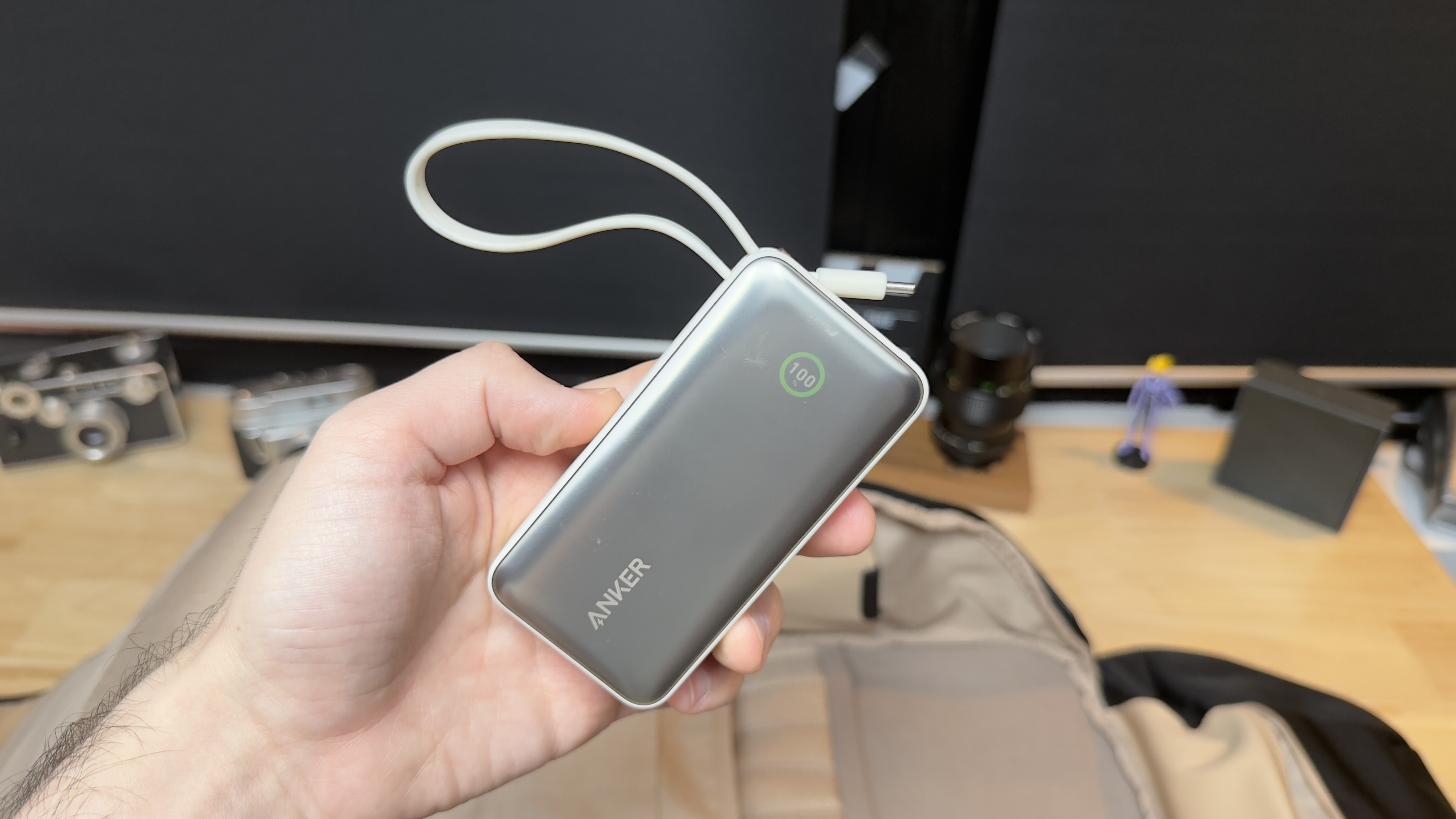
A dedicated 5G hotspot (such as the GlocalMe units) or a robust tethering plan is essential. For power, don't just bring a "lipstick" charger. You need a high-capacity power station of at least 150Wh. While smaller banks are great for phones, a 150Wh+ unit can keep your laptop running through a four-hour keynote where wall outlets are guarded like crown jewels.
7. Show Floor Survival: Beyond the Tech
The most important piece of gear doesn't have a CPU: it’s your footwear. Veteran reporters know that CES is won or lost based on your choice of shoes. Leave the dress shoes in the suitcase. Opt for ergonomic sneakers or high-end walking shoes with significant arch support.
The "Tech Go-Bag" Essentials:
- Cable Management: Use small mesh pouches to prevent "cable spaghetti" in your main bag.
- Aspirin and Electrolytes: Las Vegas air is incredibly dry; dehydration will lead to headaches faster than the flashing lights of the LG booth.
- Physical Business Cards: Yes, they still matter. Tech fails; paper doesn't.
- Microfiber Cloths: Between the fingerprints on screens and the Vegas dust, you will use these every hour.
FAQ
Q: Is it better to use a dedicated camera or a smartphone for CES coverage? A: For 90% of tech journalism, a flagship smartphone with a high-quality mic system like the DJI Mic 2 is superior due to its speed. The ability to edit and upload directly from the floor is more valuable than the slight increase in image quality from a heavy DSLR.
Q: How do I manage the massive amount of video data without an internet connection? A: Use a dual-sided USB-C flash drive (like the SanDisk Ultra Dual Drive). You can offload footage from your phone and plug it directly into your laptop for editing without needing a single bar of Wi-Fi.
Q: What is the best way to move between halls (LVCC to Venetian/Mandalay Bay)? A: Avoid Uber/Lyft during peak hours (8 AM - 10 AM and 4 PM - 6 PM). The Las Vegas Monorail or the Boring Company's "Vegas Loop" (Tesla tunnels) are significantly faster, though you should still budget at least 45 minutes for any inter-hall travel.
Ready for the Floor?
If you're heading to Las Vegas this January, remember that the best gear is the gear you don't notice. Focus on weight, prioritize AI efficiency, and protect your back.